

Agent prompts
Extend how the Planner, Builder, Reviewer and QA agents behave, with no change to SHIP's own prompt source.
Overview
Each agent in the pipeline runs on a charter that SHIP writes and versions. For example, the charter tells the Reviewer how to weigh severity, the Builder how to scope a diff, and QA how to read acceptance criteria. You cannot edit that charter directly, because it is part of the platform.
But you can extend it. Add a Markdown file to your own repository. SHIP appends it after its charter for that role each time that role runs. Your repository never replaces SHIP's instructions. It only adds to them.
The result has two layers:
| Layer | Content | Owner |
|---|---|---|
| SHIP's charter | How the role reasons: review severity, diff scope, CI triage | SHIP |
| Your extension | Your repository's own conventions for that role | You |
SHIP's layer always comes first. Your extension comes after it and never replaces it.
The .ship/agents/<role>.md file
The canonical location for an extension is .ship/agents/<role>.md, where <role> is planner, builder, reviewer or qa. The file has an optional YAML frontmatter fence and then a Markdown body. A .claude/agents/*.md sub-agent file has the same shape, so you can copy one of those files in with no changes.
This is a complete example of a Reviewer extension at .ship/agents/reviewer.md:
---
name: reviewer
description: House review conventions for this repository
---

## House conventions

- Flag any new dependency added to `package.json` without a comment explaining why it was needed.
- Treat a missing test for a new exported function as a blocking comment, not a suggestion.
- Do not block on formatting, since the pre-commit hook already enforces it.

## Domain context

This repository is a payments library. A review comment about rounding or currency
precision should always be treated as `critical` severity, regardless of what the
diff otherwise looks like.
SHIP uses the name and description in the frontmatter only for display. SHIP appends the body to the Reviewer's charter. The body is everything after the --- line that closes the frontmatter. A file with no frontmatter fence is also valid, and then the whole file is the body. This is why you can point this convention at a plain file such as AGENTS.md (see below).
Linking an existing file with the ship.yml pointer
Your extension can already be in another file, such as AGENTS.md, a .claude/agents/*.md file or any other file in the repository. If it is, point to that file. Do not copy it to the canonical path. Add a prompt field under agents.<role> in your ship.yml:
version: 1

agents:
  reviewer:
    prompt: .claude/agents/security.md

deployments:
  # ...
The pointer takes precedence over .ship/agents/<role>.md. If both exist, SHIP uses the pointer. If neither exists, that role runs with only SHIP's charter, with no extension and no error.
AGENTS.md and the CLAUDE.md migration path
AGENTS.md is the canonical file for the general conventions of your repository. These are the conventions that every agent needs, whatever its role, such as coding style, architecture and module boundaries. SHIP reads AGENTS.md at the repository root and gives its content to the Planner, the Reviewer and the QA agent.
If there is no AGENTS.md, SHIP reads CLAUDE.md at the root instead. SHIP never reads both, so a rule that is in both files does not reach the agents twice. In that file, SHIP resolves one level of standalone @path import lines. The content of the imported file goes in place of the line.
If your conventions are in CLAUDE.md today, SHIP already reads them. To keep one source for every tool, move the content into AGENTS.md, and leave only the line @AGENTS.md in CLAUDE.md. Tools that read CLAUDE.md then resolve the import, and SHIP reads AGENTS.md directly.
The Builder does not get the conventions file from SHIP. To give it to the Builder too, point its role prompt at the file: agents.builder.prompt: AGENTS.md. This is the same pointer as in the section above.
Prompt files take effect from your default branch
SHIP reads the prompt extension of each role from your main branch, never from the branch of a pull request. This applies to the canonical .ship/agents/<role>.md file and to a ship.yml pointer target. The main branch is the base branch that the pipeline compares pull requests against. If your default branch has a different name, SHIP does not find prompt extensions there today. The reason is that SHIP reads the canonical path and the pointer target only from main.
This is most important for the Reviewer and QA roles, because a pull request cannot change the rules for its own review. If SHIP read .ship/agents/reviewer.md from the head of the pull request, a diff could weaken the conventions that SHIP uses to check that diff. SHIP reads from the default branch to prevent this. So a change to an extension applies to the next pull request, after the change merges.
Instructions for one mission
You can also give a role instructions for one mission only. These instructions do not go into your repository, and they do not change ship.yml. Set them in one of these ways:
- With the CLI:
--prompt-fileor--prompt-pathonship mission create,ship mission start,ship delegate planorship delegate pr. The instructions go to the role that the mission starts at, or to the role that--prompt-rolenames. - With the API: the
promptfield of a role inPUT /v1/missions/{issueId}/agents-override. - With the MCP tool
set_agents_override.
A mode tells SHIP how your instructions relate to the role prompt of your repository:
| Mode | What the role gets |
|---|---|
replace (default) | Your instructions in place of the repository's role prompt |
extend | The repository's role prompt, then your instructions after it |
Use extend to add something for one mission, such as a security review, and keep the conventions that your repository sets for that role. In both modes, SHIP's charter stays first. The Planner, Reviewer and QA agents also still get the conventions from AGENTS.md, or from CLAUDE.md.
See what an agent received
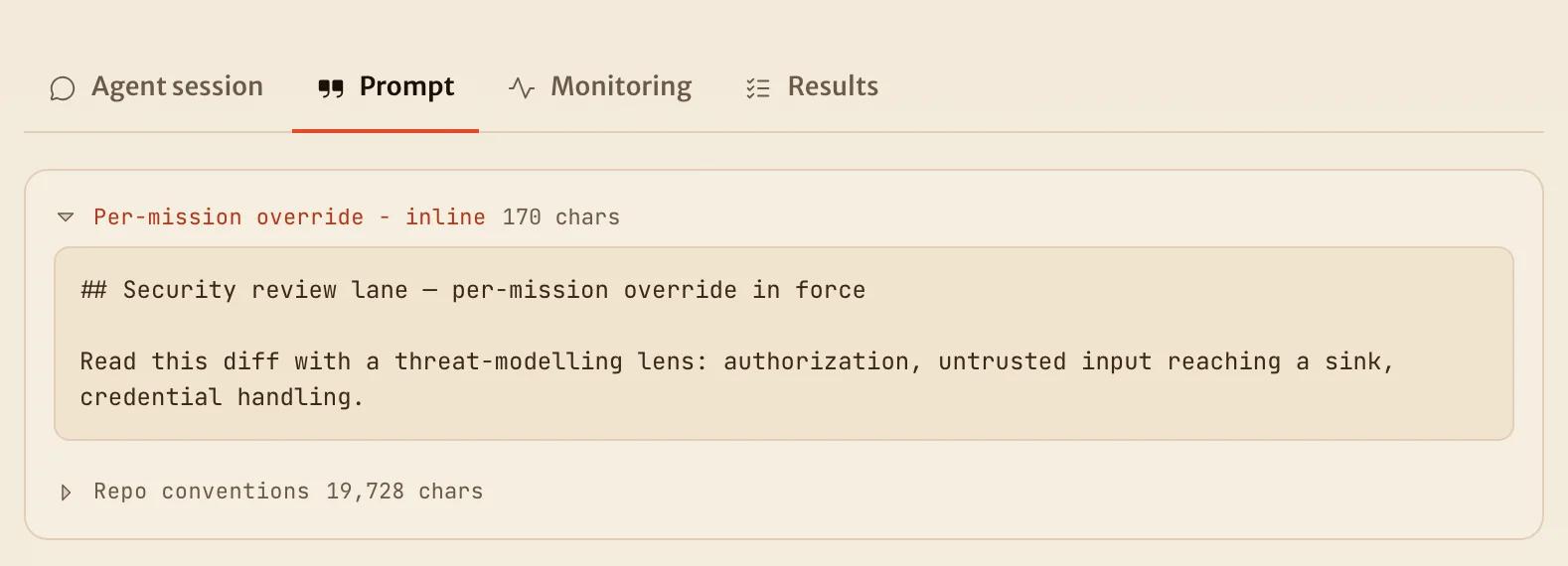
Each agent run on a mission page has a Prompt tab. The tab shows the part of the prompt that came from your repository or from the mission, with one block for each source. SHIP's charter is not in the tab. A label on each block names its source:
| Label | Source |
|---|---|
| Repo role prompt | The role prompt of the repository: .ship/agents/<role>.md, or the file that ship.yml points at |
| Repo conventions | The conventions from AGENTS.md, or from CLAUDE.md when there is no AGENTS.md |
| Per-mission extension | Instructions for this mission, added after the repository's role prompt (extend) |
| Per-mission override | Instructions for this mission, in place of the repository's role prompt (replace) |
The tab shows the conventions last and folds them, because they are usually long. The agent gets them before the role prompt.
A role prompt from ship.yml
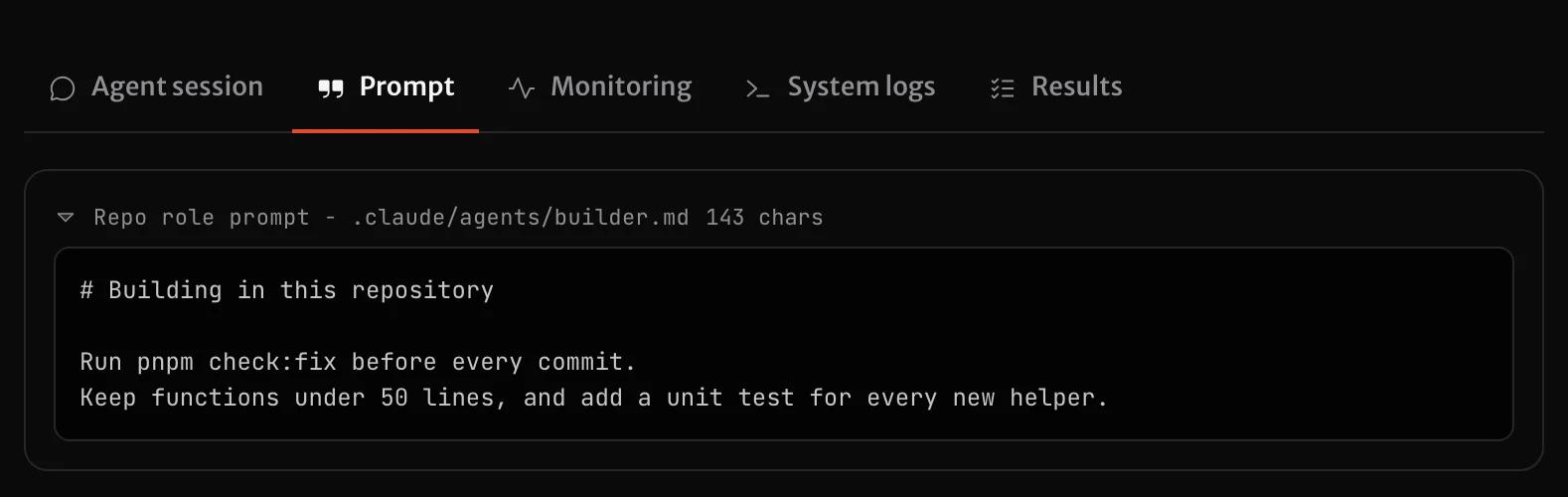
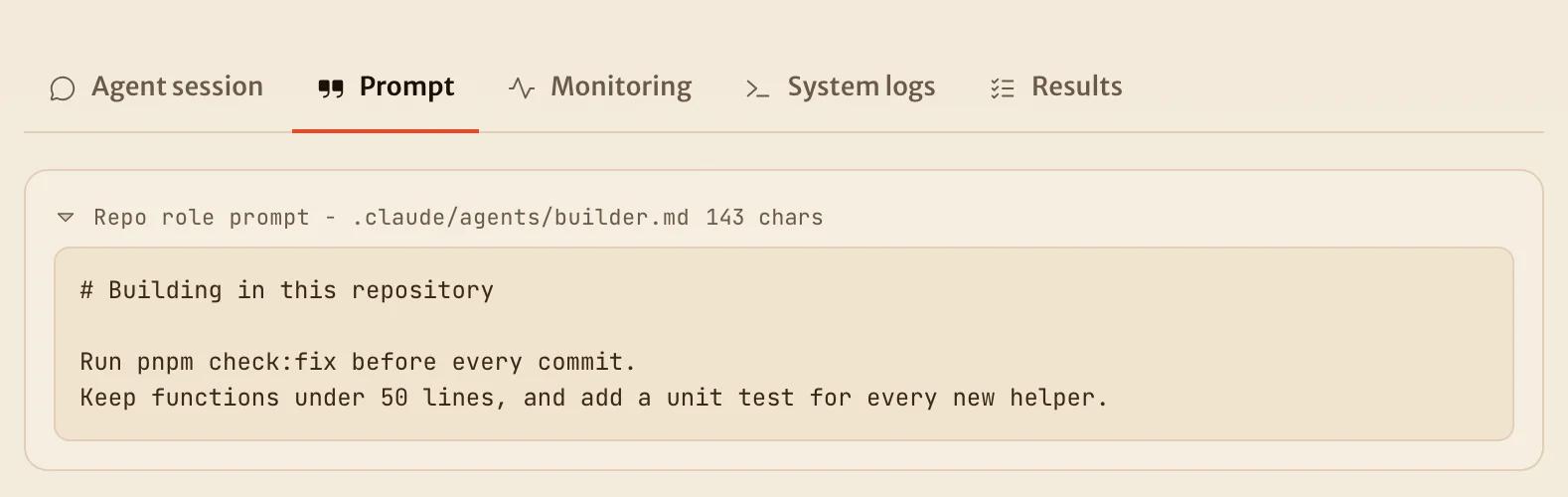
Instructions in extend mode
--prompt-mode extend adds your instructions after the repository's role prompt. A new mission from ship mission start starts at the Planner, so the Planner gets the instructions:
ship mission start SHIP-412 --prompt-file mission-notes.md --prompt-mode extendIf the mission already has an open pull request, a restart continues from that pull request and the Planner does not run. To give the instructions to a different role, add --prompt-role. This command extends the prompt of the QA agent:
ship mission start SHIP-412 --prompt-role qa --prompt-file qa-notes.md --prompt-mode extend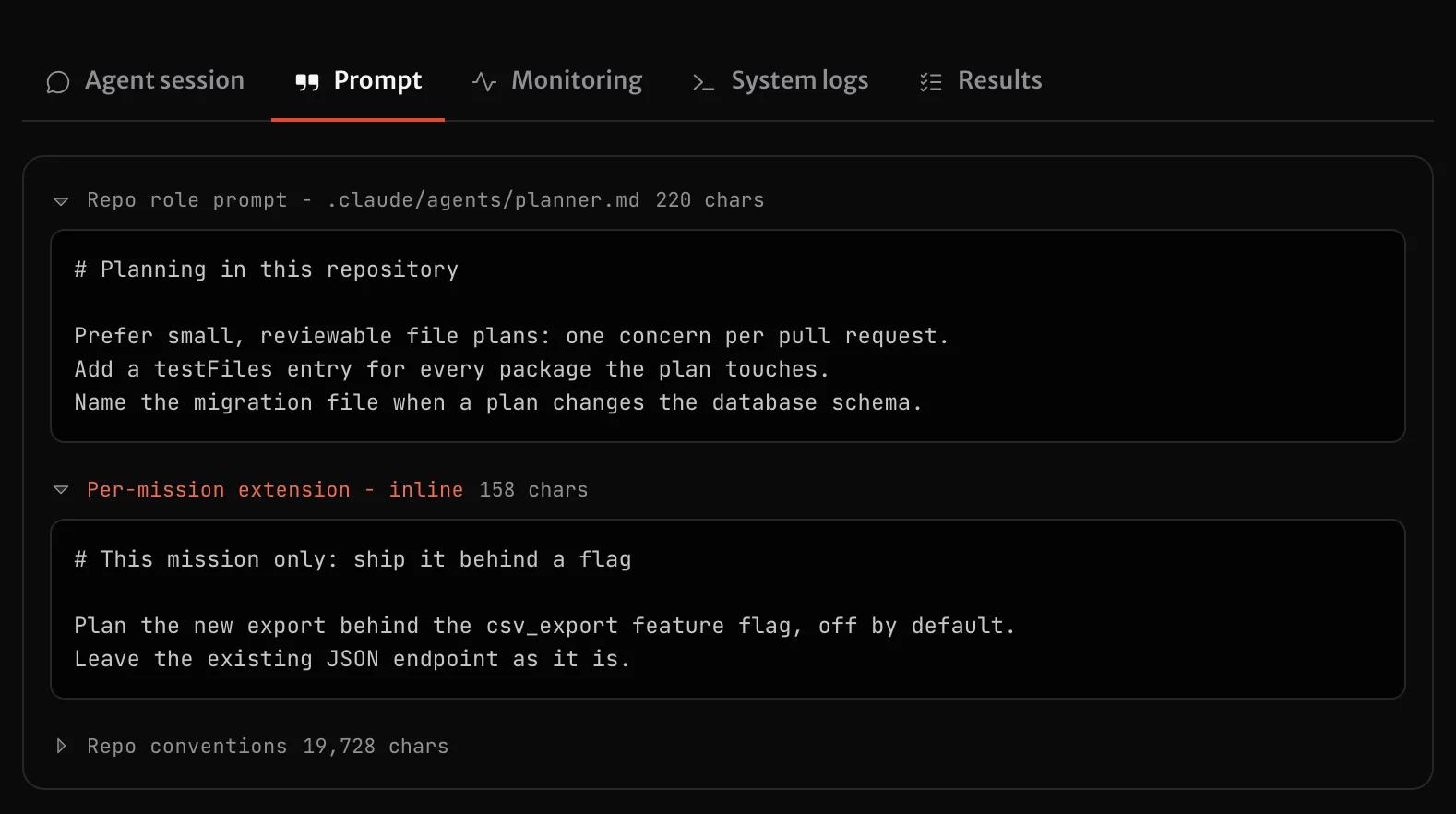
Instructions in replace mode
replace is the default mode, so you can leave out --prompt-mode. With ship delegate pr, the mission starts at the Reviewer, and the Reviewer gets your instructions in place of its role prompt:
ship delegate pr SHIP-412 --pr 418 --prompt-file security-review.md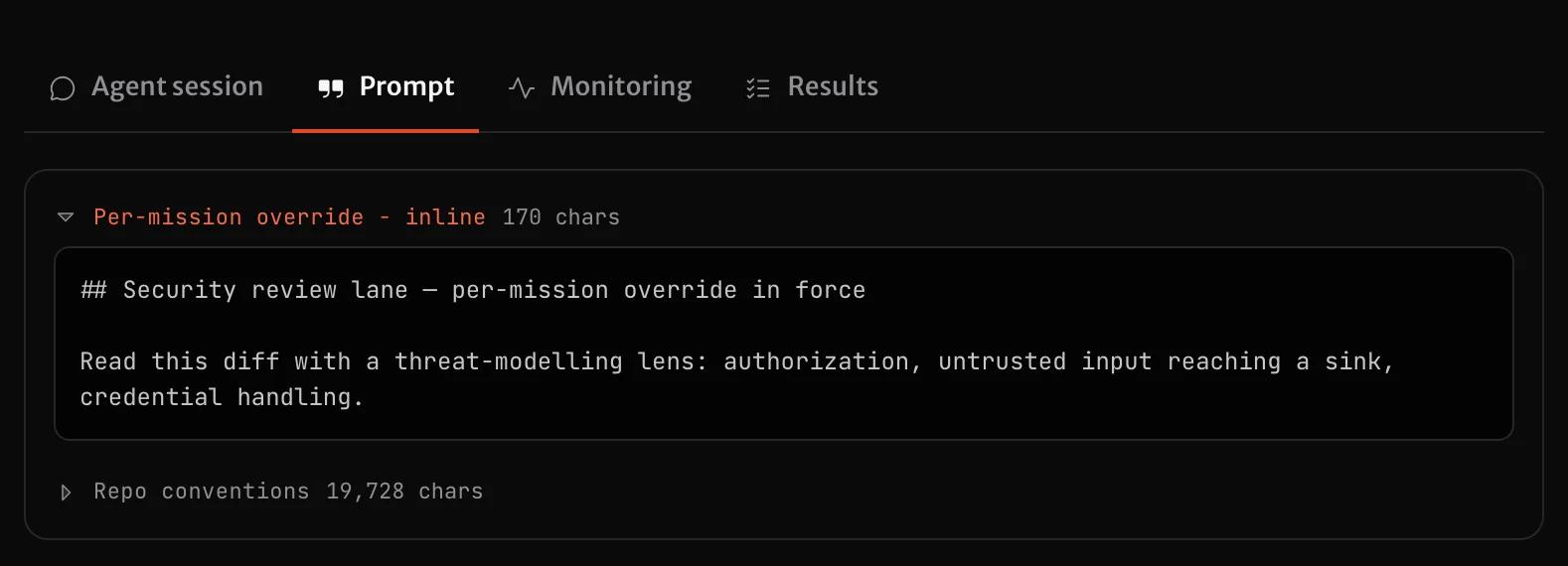
Limits
- If there is no file at the pointer path or at the canonical path, that is not an error. It means only that the role has no extension.
- SHIP skips the whole file if it cannot parse its frontmatter fence, or if the file has more than 30,000 characters after SHIP resolves any
@import. The mission shows a warning. SHIP never uses only part of an extension. - SHIP resolves one level of
@importin the body. This is the same import convention that yourAGENTS.mdalready supports. - In
extendmode, the repository's role prompt and the instructions for one mission share the same 30,000-character limit. If they are longer together, SHIP drops the repository's role prompt and keeps your instructions. The mission shows a warning.
Reserved frontmatter fields
SHIP parses three frontmatter keys today but does not use them yet. They are reserved for future capabilities, so if you use them now, a later release does not need a breaking change:
| Field | Reserved for |
|---|---|
skills | Attach specific skills to the extension of a role |
extends | Define a custom agent instance on top of a role that already exists |
on | Start an agent from a platform event, not from a pipeline stage |
Today these keys have no effect. SHIP parses them with no error, but nothing uses them yet.
Why model, tools, and harness are ignored
You can find .claude/agents/*.md files that set model:, tools: or harness: in their frontmatter. If you point SHIP at a file like that, or copy those keys into a .ship/agents/<role>.md file, SHIP ignores them. SHIP parses the keys but never applies them.
This is intentional. Only ship.yml controls the execution configuration, which is the harness that a role runs on and the model that it uses. A prompt file cannot change it.
Built-in tool access is not a ship.yml field either. The platform sets tool access for each role, so a frontmatter tools: key has no effect, wherever you set it. MCP servers are the one exception. You configure them in ship.yml and on the project, never in a prompt file: see MCP servers.
Harness and model are set in exactly one place. This gives two results:
- There is one source of truth. If the frontmatter of a prompt file could set a model, you would see that model only when you opened that file. The model could then differ from the configuration in
ship.yml, and nothing would tell you. - Performance comparisons stay meaningful. SHIP attributes cost, latency and success rate to the harness and model combination that ran. If a prompt file could override that combination, one configuration label could cover runs that behaved differently. Then a comparison between configurations would not be reliable.
When SHIP ignores a key, it does not do so silently. The mission shows a warning, so you know that the key had no effect and do not assume that it worked.
How is this page?