

Use your repository's MCP servers
Let the agents use the MCP servers your repository already declares, with credentials that never enter their sandbox.
Overview
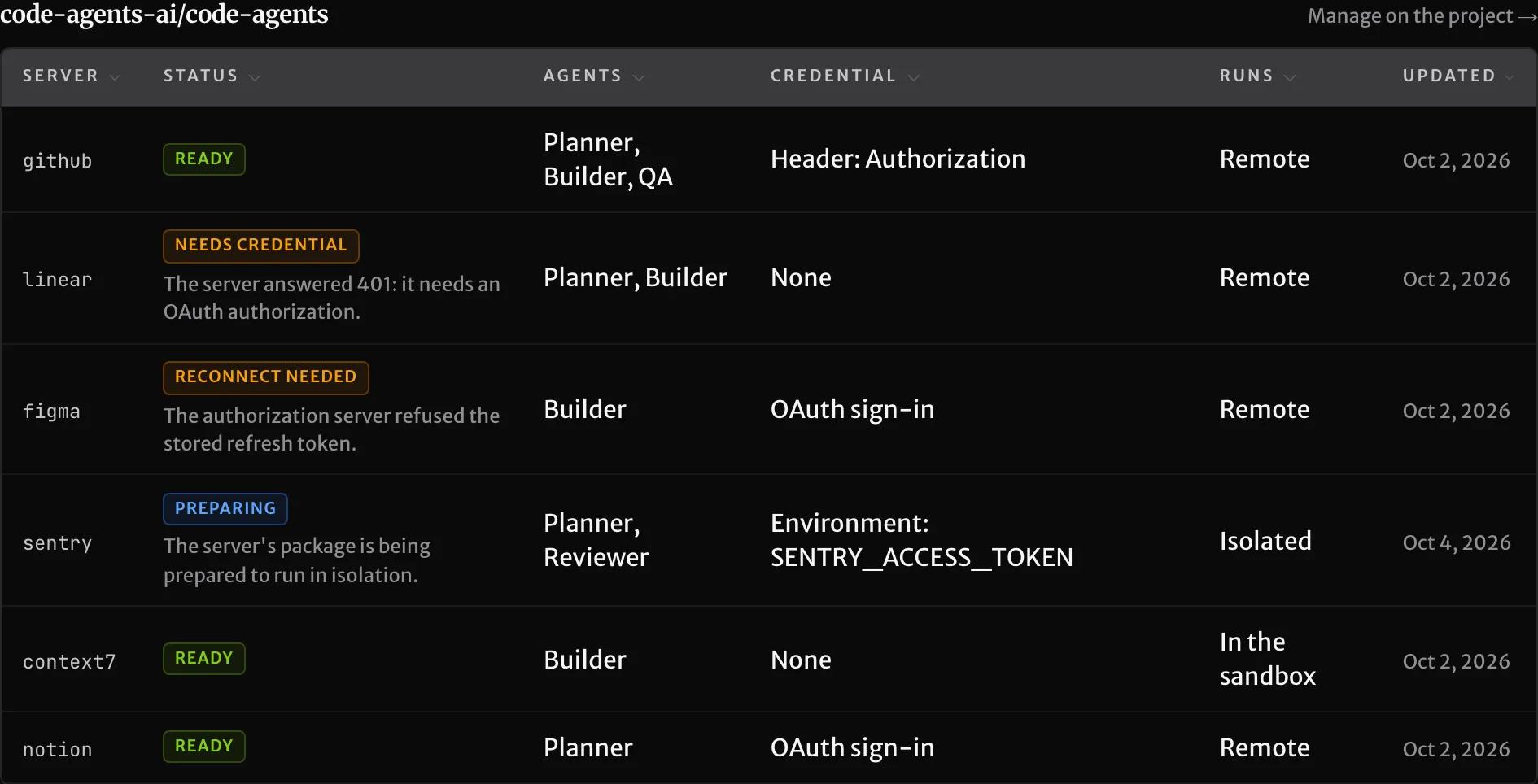
If your repository declares MCP servers in .mcp.json, SHIP's agents can use them too. For example, the planner can read your issue tracker, and the builder can read the docs of a library. You don't change the file. You bind each server once, on the project: choose which agents may use it, approve its tools, and add its credential.
You can do everything on this page from four places. In the console, open the project from Your projects, and find the servers under MCP servers. The API (/v1/mcp/projects/{projectId}), the MCP server and the CLI (ship mcp) do the same.
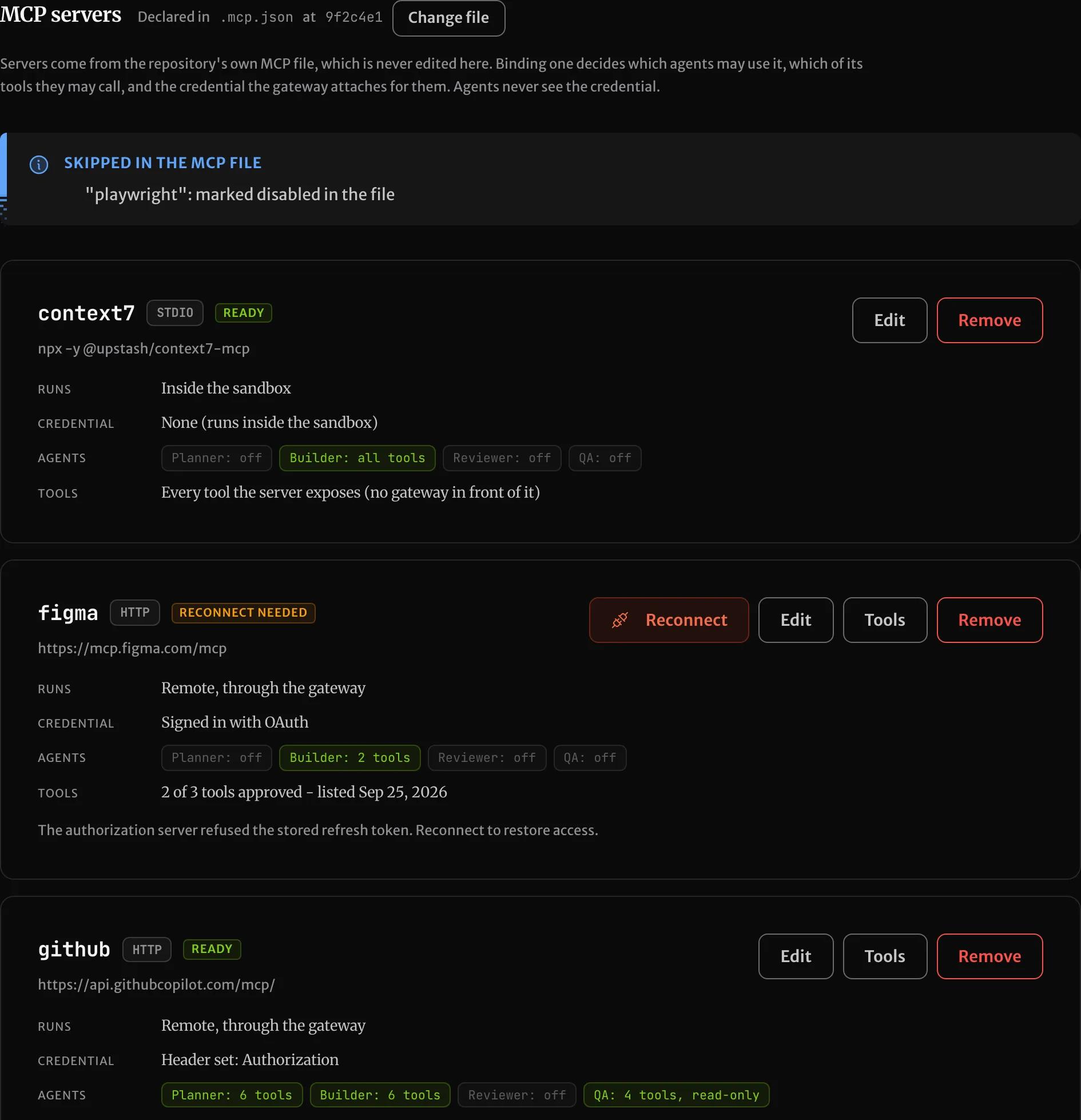
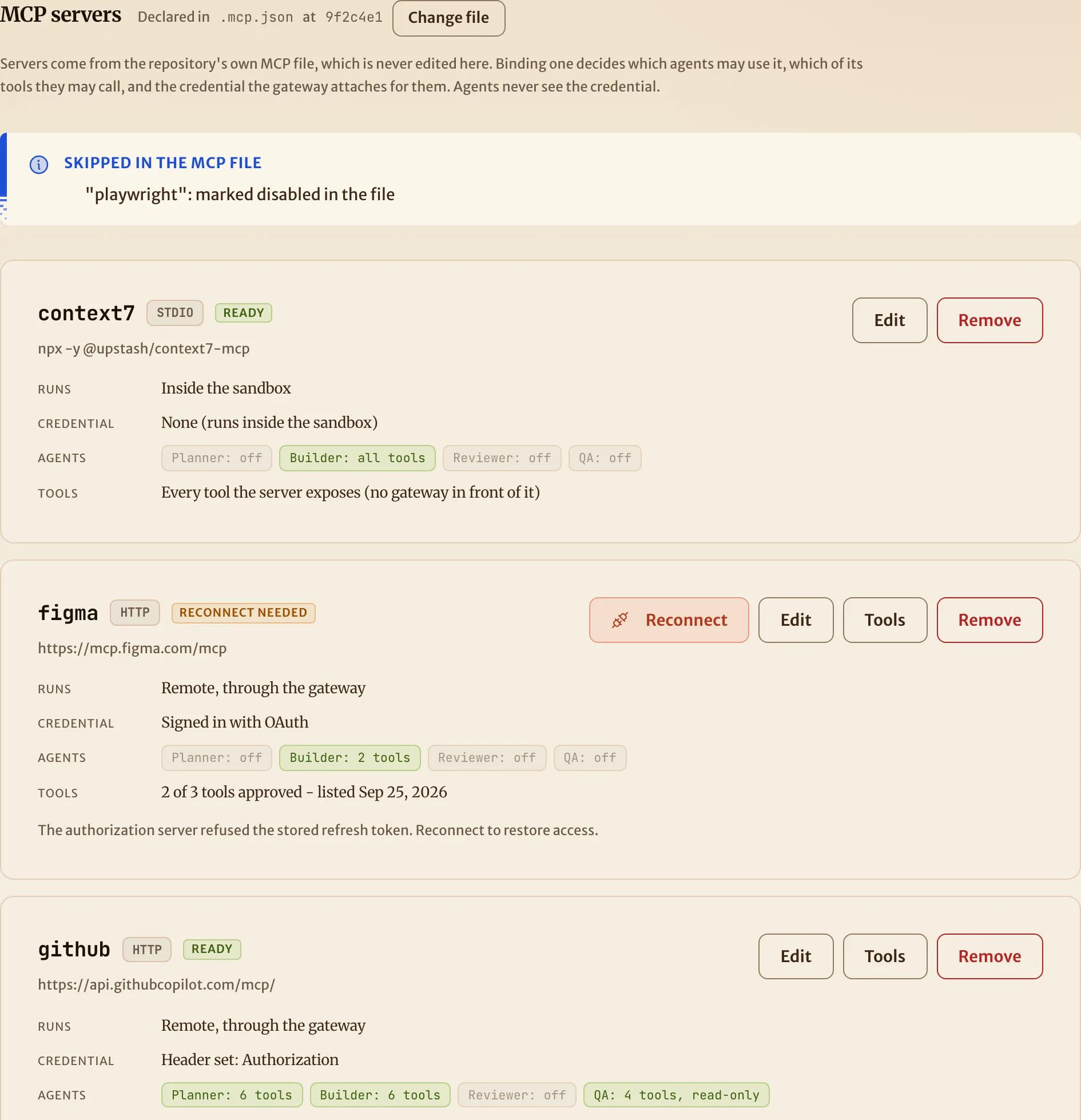
Credentials never enter an agent's sandbox. The agents reach every bound server through SHIP, which adds the credential on the way out and removes it from anything that comes back. Nothing in the sandbox can be read and reused elsewhere.
Follow a guide
Each guide below walks one kind of server end to end, with the console, the CLI and the MCP server:
- Connect a hosted server: GitHub's server with a token, Linear's server with an OAuth sign-in, and a hosted endpoint for a Docker server.
- Run a server in the sandbox: docs servers that need no secret, from npm (
npx) and from Python (uvx). - Isolate an npm server that needs a secret: Sentry's server with its access token, sent only to the hosts you allow.
- Fix a server that isn't working: what each status means, what a mission says when it stops, and where to look.
Where server definitions come from
SHIP reads your repository's MCP file from the default branch at the start of each mission. Both the mcpServers and the servers key are accepted:
{
  "mcpServers": {
    "linear": { "type": "http", "url": "https://mcp.linear.app/mcp" },
    "context7": { "type": "http", "url": "https://mcp.context7.com/mcp" },
    "sentry": { "command": "npx", "args": ["-y", "@sentry/mcp-server@latest"] }
  }
}
The default path is .mcp.json. If yours lives somewhere else, such as .cursor/mcp.json or .vscode/mcp.json, name it in either place:
-
in
ship.yml, committed with the rest of your configuration:mcp: config: .cursor/mcp.json -
or on the project in SHIP: Change file on the project's page,
ship mcp file .cursor/mcp.json, orPATCH /v1/mcp/projects/{projectId}.
ship.yml wins when both are set. The project's page then shows the path as set in ship.yml, with no control to change it there. Like the rest of ship.yml, it is read from your default branch, so a pull request can't point its own agents at a different file. If ship.yml names a file that doesn't exist, the page says so. SHIP doesn't fall back to another file.
SHIP never edits this file and never needs ${VAR} placeholders in it. If it already has them, their names pre-fill the credential form.
Bind a server
A server the repository declares but nobody has bound is not available to any agent. Binding it sets three things:
- Agents. Which of the planner, builder, reviewer and QA agents may use it.
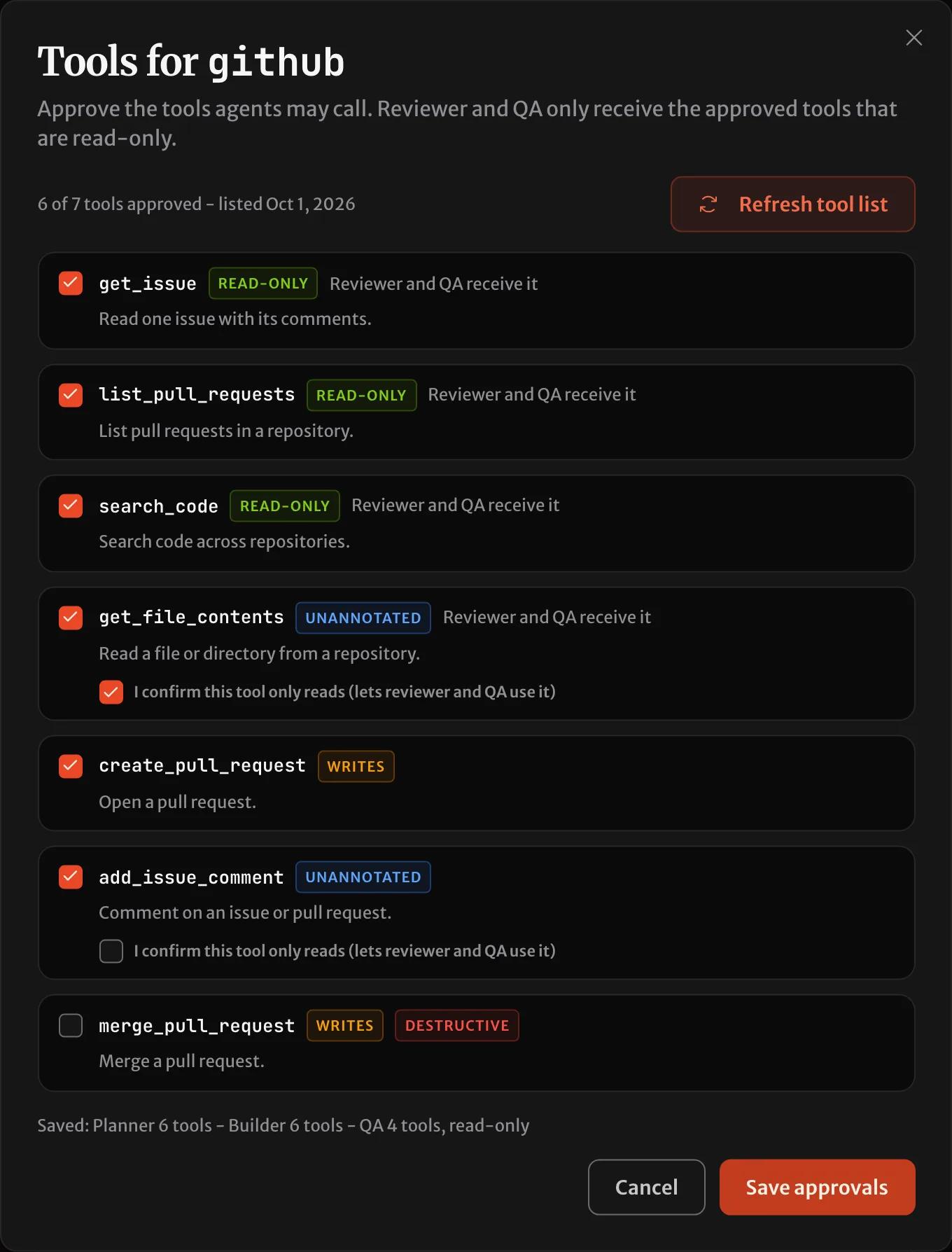
- Tools. SHIP lists the server's tools when you bind it, and you approve the ones the agents may call. A tool the server adds later stays hidden until you approve it.
- Credential. How SHIP authenticates to the server, depending on how it runs (below).
Choose how a server runs
| How it runs | For | Credential | Agents |
|---|---|---|---|
| Remote, through SHIP | A server with a url, or the vendor's hosted endpoint for a command server | Request headers, or an OAuth sign-in | Any. Reviewer and QA get read-only tools only |
| Isolated runtime | An npm server (npx, pnpm dlx, bunx) that needs a secret | Environment variables, sent only to the hosts you allow | Any. Reviewer and QA get read-only tools only |
| Inside the sandbox | A server that needs no secret, from npm, Python (uvx) or the repository | None | Planner and builder |
Remote servers
A server with a url is reached over Streamable HTTP. Its credential is either:
- Headers, such as an API key header or a bearer token, which SHIP stores encrypted.
- OAuth: select Connect and sign in with the provider. SHIP keeps the authorization renewed. If the provider revokes it, the server shows Reconnect, and the agents get a message that it needs attention.
The credential is pinned to the server's URL at bind time. If the repository later points the same server at a different host, the binding stops until you confirm the new host. So a change to the file can never send a credential somewhere else.
Servers that only offer the older HTTP+SSE transport can't be bound. If the vendor also hosts a Streamable HTTP endpoint, bind that one.
Servers that run locally
A server started with a command, such as npx some-mcp-server, can be bound two ways:
- In the sandbox, for servers that need no secret. It runs next to the agent, exactly as the repository declares it. The sandbox has Node (
npx,bunx) and Python (uvx, with Python 3.12 preinstalled), so most published servers start without any setup. - Isolated, for npm servers that need a secret. SHIP pins the exact package version when you bind it, builds it once, and runs it in an isolated runtime outside the sandbox. The server only ever sees a stand-in value for its secret. SHIP swaps in the real value only on requests to the hosts you list, and blocks every other network request.
A Python server, a native binary or a script from the repository can't run isolated. If it needs a secret, bind the vendor's hosted endpoint instead, under the same name. A server started with Docker can't run in the sandbox either, so its hosted endpoint is the only way to bind it.
From a terminal, the same steps are:
ship mcp list --project prj_123
ship mcp bind github --roles planner,builder,qa --header-file Authorization=github-header.txt
ship mcp tools github --refresh
ship mcp tools github --approve get_issue,search_code
The header file holds the header's whole value, such as Bearer <token>. The secret then never appears in your shell history. For each server that isn't ready, ship mcp list ends with the command to run next.
What each agent can use
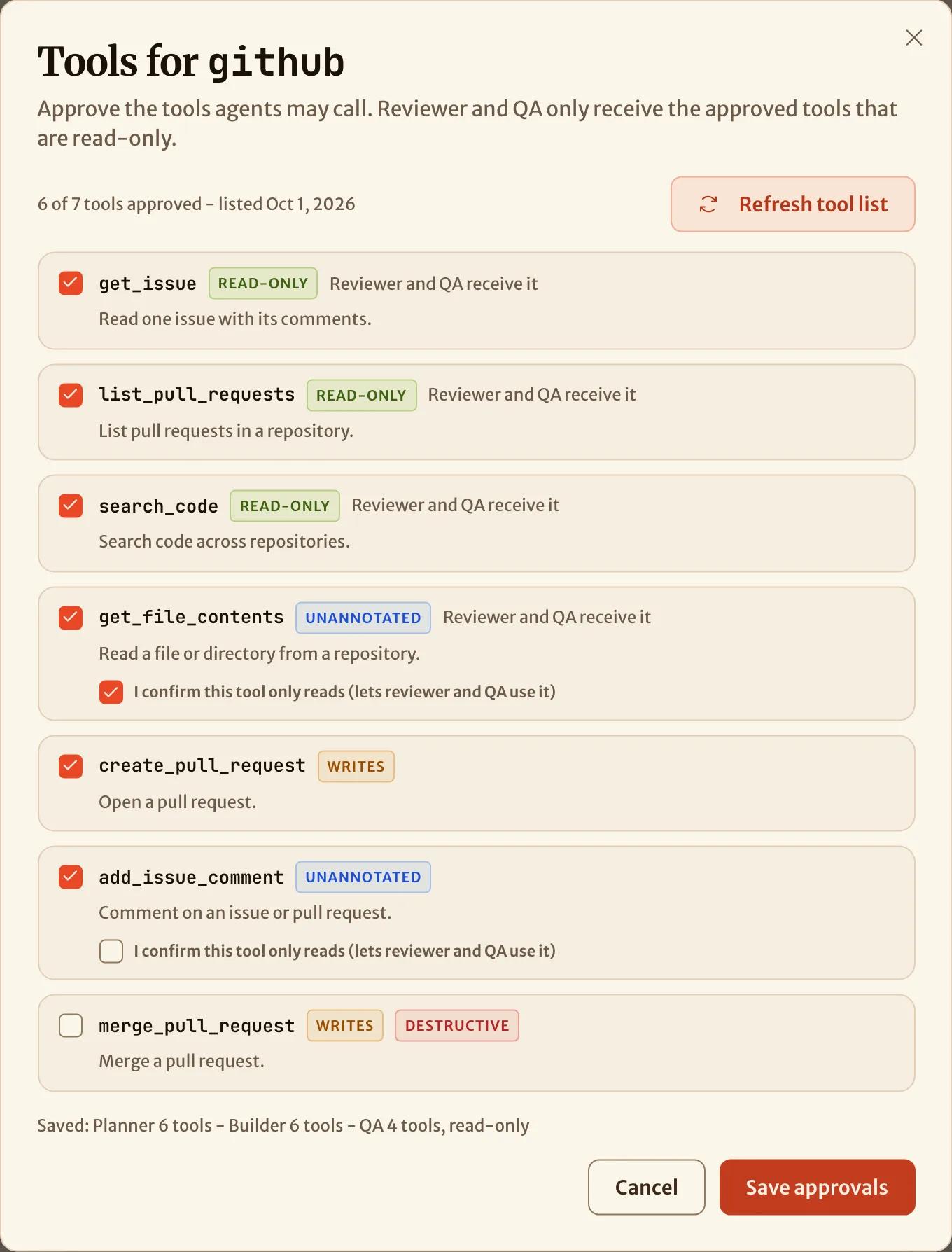
The reviewer and QA agents never change your repository, so they only get tools the server marks as read-only. For a tool the server doesn't annotate, you can attest that it is read-only when you approve it. A tool marked as making changes can't be given to them. Servers that run in the sandbox are never given to the reviewer or QA, because read-only can't be enforced there.
To narrow further for one repository, list servers (and optionally tools) per agent in ship.yml:
agents:
  reviewer:
    mcp:
      - context7
      - server: sentry
        tools: [get_issue_details]
ship.yml and the per-issue override can only narrow what the binding allows. They can never add a server or a tool the binding doesn't grant.
See every credential in one place
Vault → MCP servers lists every MCP credential across your projects: which server it belongs to, which agents use it, how it runs and its status. It shows the kind of credential and the names of its headers or variables, never their values. To change one, open its project. The same list is ship mcp bindings and GET /v1/mcp/bindings.
Supported agent harnesses
Every agent harness that speaks MCP gets the same servers, in its own configuration format, written outside your working tree. Each harness also ignores the MCP files committed to your repository, so a pull request can't make an agent start a server.
| Harness | MCP servers |
|---|---|
| claude-code | Supported |
| codex | Supported |
| open-code | Supported |
| kilo-code | Supported |
| pi | Not yet. A role on pi with MCP servers fails with a message naming the harness |
When something is wrong
A server that can't be used never fails quietly. Before an agent starts, SHIP checks each server that the agent should get. If one can't be used, SHIP stops the mission with a message that names the server and the cause:
- it needs reconnecting,
- its package is not prepared yet,
- the repository moved it to another host, or
- the role's harness can't use MCP.
Fix it on the project's page and restart the mission. The fix applies to the next agent, and nothing else in the mission changes.
SHIP records on the mission every tool call that an agent makes through SHIP, also the refused ones. The record of each attempt also lists the servers its agent had. In the console, a run's timeline shows each MCP tool call as server - tool. For claude-code runs, it also shows which servers connected when the agent started. Fix a server that isn't working covers each case.
How is this page?