
Connect GitHub's and Linear's MCP servers to your coding agents
Bind GitHub's MCP server with a scoped token and Linear's with an OAuth sign-in. Keep review and QA read-only, and see each call on the run.
To let your coding agents read GitHub and Linear through MCP, declare both hosted servers in your repository's .mcp.json. Then bind them on the project in SHIP. GitHub's server gets a fine-grained token in an Authorization header, and Linear's server gets an OAuth sign-in from its card. SHIP keeps both credentials outside the agent's sandbox and attaches them to each request. So the planner can read the issue before it plans, and QA can check the pull request. Neither agent holds a token.
Declare both servers in your MCP file
If the repository doesn't declare them yet, add both hosted endpoints to .mcp.json on the default branch, the same file your editor's agent already reads:
{
  "mcpServers": {
    "github": { "type": "http", "url": "https://api.githubcopilot.com/mcp/" },
    "linear": { "type": "http", "url": "https://mcp.linear.app/mcp" }
  }
}
SHIP reads this file at the start of each mission and never edits it. Leave tokens out of it: the credentials go on the project in SHIP, not in the repository.
Bind GitHub's server with a scoped token
GitHub's MCP server accepts a personal access token as a bearer header. Create a fine-grained token limited to the repositories the agents work in, with read access to contents, issues and pull requests. Then bind the server for the agents that need it. From a terminal, the header's value goes in a file so the token never enters your shell history:
printf 'Bearer %s' "$GITHUB_TOKEN" > github-header.txt
ship mcp bind github --roles planner,builder,qa --header-file Authorization=github-header.txt
In the console, the same step is Bind on the github card of the project page:
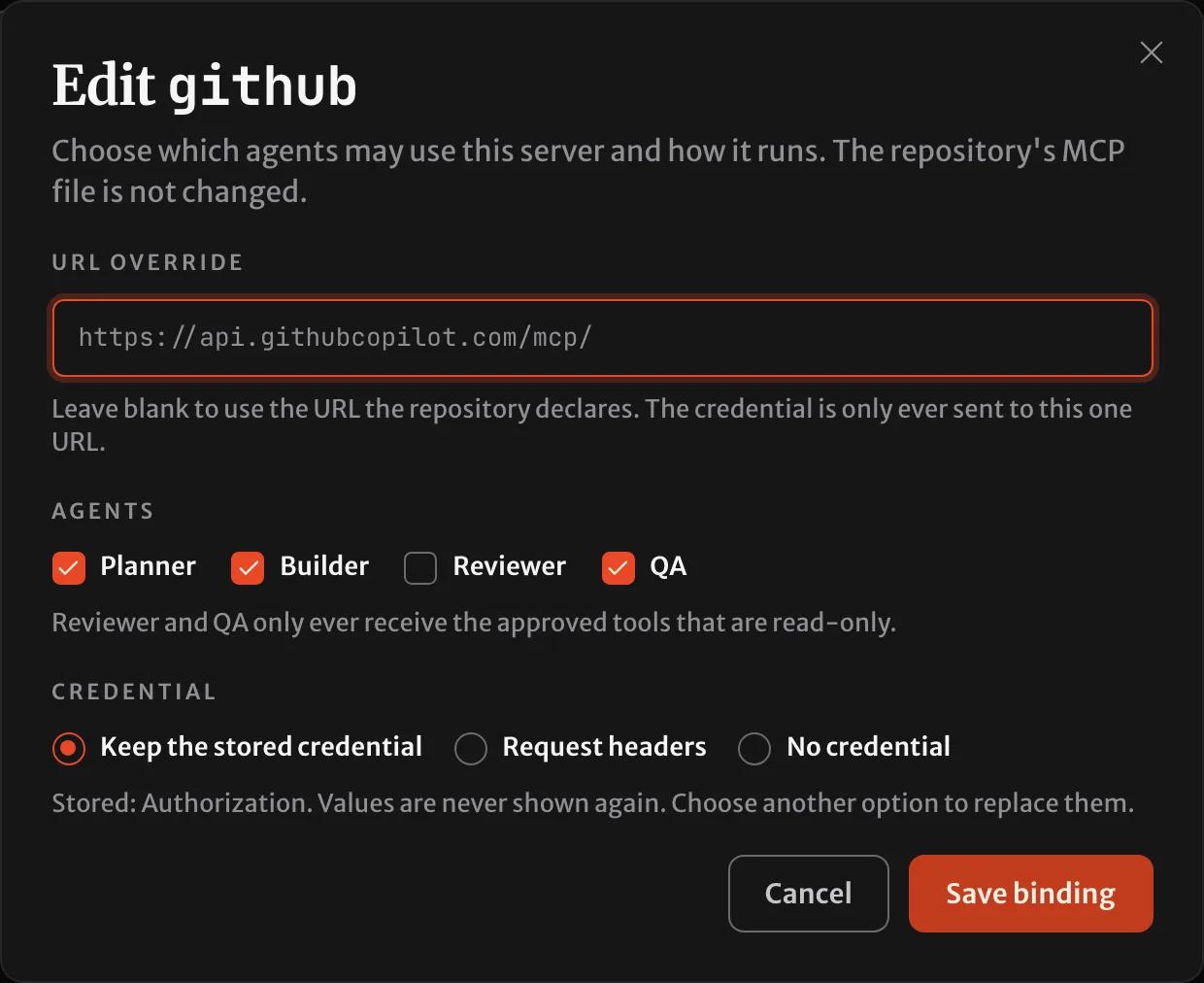
The credential is pinned to that URL. If a later commit points github at a different host, the binding stops until you confirm the new host. So a change to the file can never send the token somewhere else.
Keep the reviewer and QA read-only
SHIP lists the server's tools when you bind it. When it bound GitHub's server on a test project in October 2026, the list held 49 tools, from reading issues to merging pull requests. Approve only what your agents need:
ship mcp tools github --approve get_issue,list_pull_requests,search_code,get_file_contents --attest get_file_contents[x] get_issue read-only
[x] list_pull_requests read-only
[x] search_code read-only
[x] get_file_contents unannotated, attested read-only
4 of 7 approved - planner 4 tools, builder 4 tools, qa 4 toolsThe reviewer and QA receive only approved tools the server marks read-only. --attest confirms that an unmarked tool only reads, which lets them use it too. A tool that writes reaches only the planner and builder, and a tool the server adds later stays hidden until you approve it.
Sign in to Linear's server with OAuth
Linear's MCP server signs in with OAuth rather than a token. Bind it without a credential, then connect:
ship mcp bind linear --roles planner,builder
ship mcp connect linear
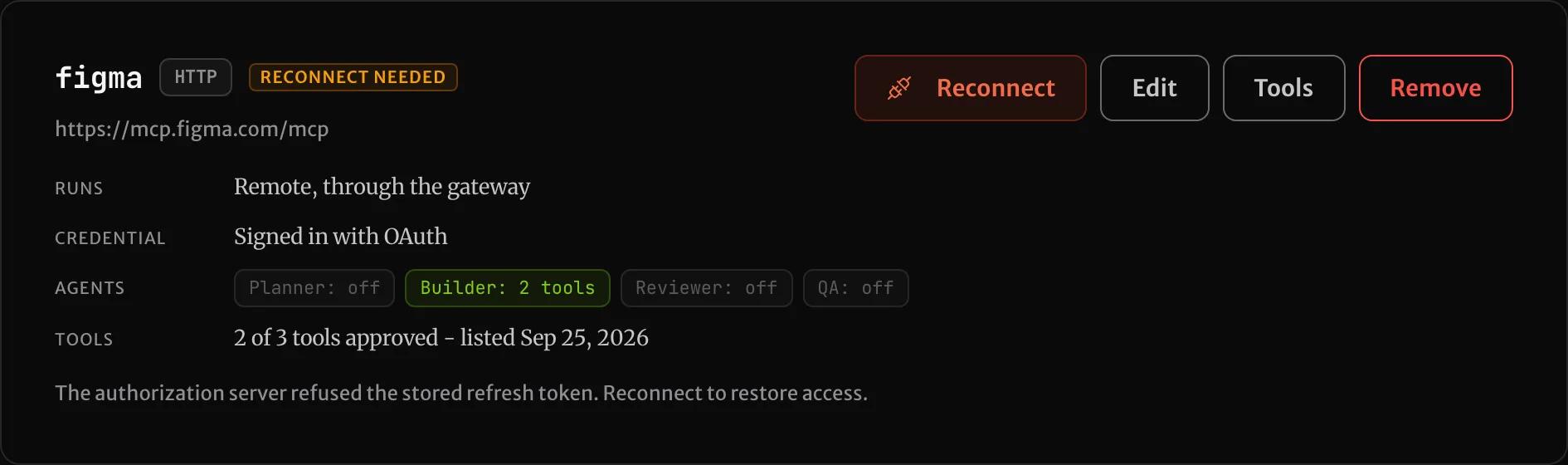
ship mcp connect prints a single-use link. Open it in a browser signed in to SHIP and approve the access in Linear, or select Connect on the card in the console. SHIP registers itself with Linear, stores the authorization encrypted, and renews it from then on. If someone revokes it, the card reads Reconnect needed, with Linear's reason. Agents that should get the server then stop with that message before they start:
Narrow each role in ship.yml
The bindings say which agents may use a server. For one repository, ship.yml can narrow that further, per agent and per tool:
agents:
  planner:
    mcp: [linear, github]
  qa:
    mcp:
      - server: github
        tools: [get_issue, get_pull_request]
It can only remove access a binding grants. If you name a server that the project hasn't bound for that agent, the mission stops with a message. The agent never silently gets less than you meant.
Watch the agents use them
A claude-code run's timeline opens with the MCP servers its agent started with and whether each connected, then shows each call as server - tool:
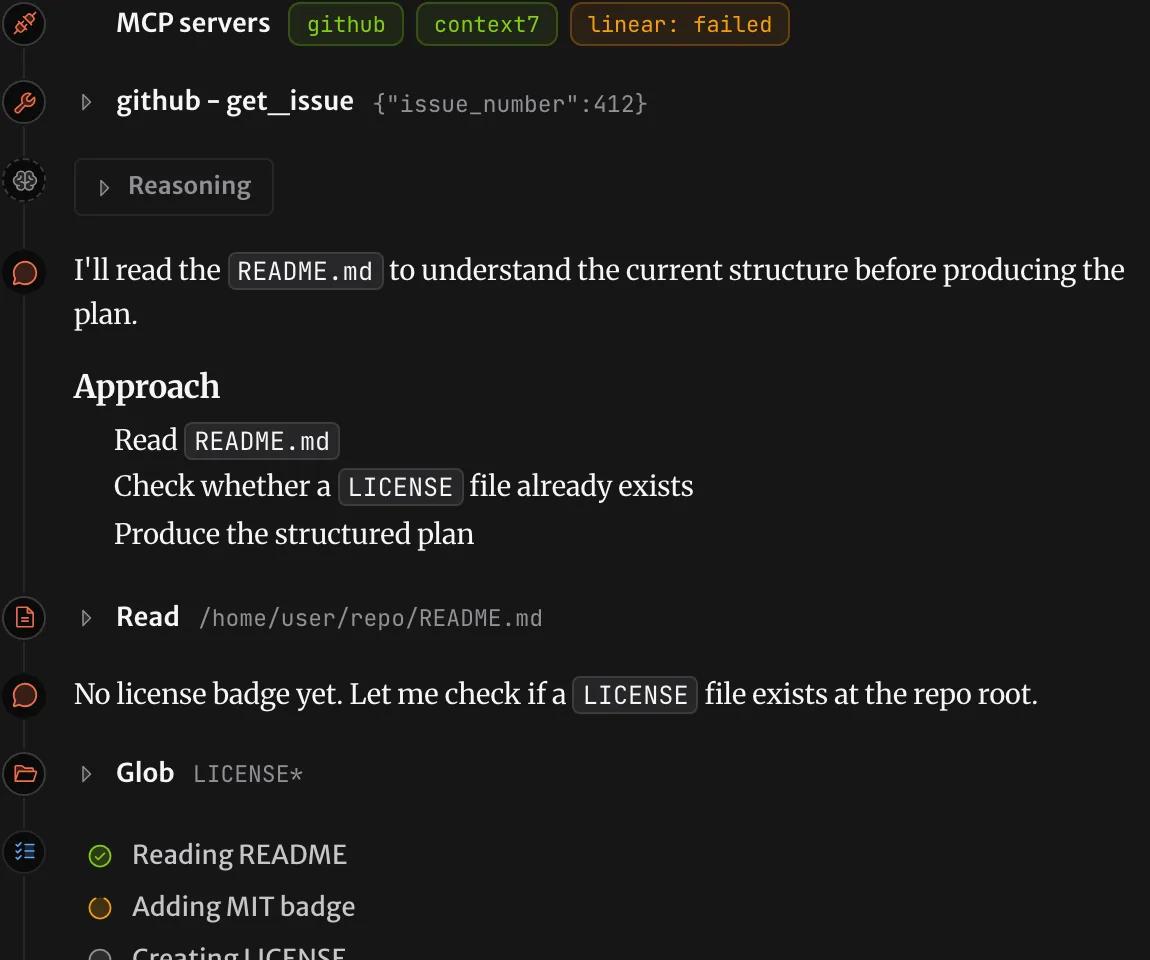
Every call made through SHIP, including a refused one, is recorded on the mission. The MCP servers docs cover the same steps in the console, from the CLI, and from your own agent through SHIP's MCP server.
Questions
How do I give a coding agent GitHub's MCP server?
Declare https://api.githubcopilot.com/mcp/ in your repository's .mcp.json. Then bind it in SHIP with an Authorization header that holds a fine-grained GitHub token. Choose the agents that get it, and approve its tools.
Does Linear's MCP server work with OAuth for agents?
Yes. Bind it without a credential, then select Connect and approve the access in Linear. SHIP stores and renews the authorization, and the agents never receive the token or start a sign-in themselves.
Can the QA agent use GitHub's MCP server without being able to change the repository?
Yes. The reviewer and QA receive only approved tools the server marks read-only, plus unmarked tools you confirm only read. A tool that writes, such as one that opens or merges a pull request, never reaches them.
What happens when the Linear sign-in is revoked?
The server's card reads Reconnect needed. A mission whose agent should get the server stops before that agent starts, with a message that names the server. Reconnect, then restart the mission.
Where does the GitHub token live?
Encrypted on the project in SHIP. It is attached to requests outside the agent's sandbox, sent only to the server's pinned URL, and never shown again after you save it.