
MCP servers for coding agents: bind them once, keep the keys out of the sandbox
Give your planner, builder, reviewer and QA agents the MCP servers your repository already declares, with credentials that never enter the agent's sandbox.
To give SHIP's agents the MCP servers in your repository's .mcp.json, bind each server once on the project. Choose the agents that get it, approve the tools they may call, and add its credential. From then on every mission's planner, builder, reviewer and QA receive the servers bound for them, on claude-code, codex, open-code or kilo-code. The credential never enters the agent's sandbox. SHIP attaches it to the requests of a remote server, outside the sandbox. An npm server that needs a key runs in an isolated runtime, where it gets only a stand-in.
Decide what each stage needs
An agent that works on an issue needs the same context as an engineer. MCP servers give it that context without a custom integration for each tool. A typical set, one row per need:
| Agent | Server | What it gives the agent |
|---|---|---|
| Planner | Linear's hosted server, signed in with OAuth | The issue, its comments and related issues, before the plan is written |
| Builder | Context7, started with npx in the sandbox | Current documentation for the libraries the change touches |
| Planner | AWS's AgentCore documentation server, started with uvx | Answers from a vendor's docs, from a Python server with no setup |
| Reviewer | Sentry's npm server, run isolated with its access token | Recent errors from the changed code, read-only |
| QA | GitHub's hosted server with a scoped token | The issue and pull request it verifies against, read-only |
The planner reads before it plans. The builder looks up an API instead of guessing it. The reviewer and QA can read, but they can't change anything.
Keep credentials out of the agent's reach
An agent runs as the only user in its sandbox and can read anything there, including every environment variable and file. An instruction slipped into an issue or a dependency's README can ask it to print them. A token in the sandbox is one such instruction away from leaving it.
SHIP keeps three things true instead:
- No credential in the sandbox. The agents reach every bound server through SHIP, which adds the credential on the way out and strips it from anything that comes back.
- No server the repository starts by itself. Every harness ignores the MCP files in the repository. So a pull request cannot make its own agents run a server.
- No tool nobody approved. A tool the server adds later stays hidden until someone approves it.
Bind the servers your repository already declares
SHIP reads your MCP file from the default branch at the start of each mission, as written, with no placeholders needed. The project's page lists every server it declares and each one's binding:
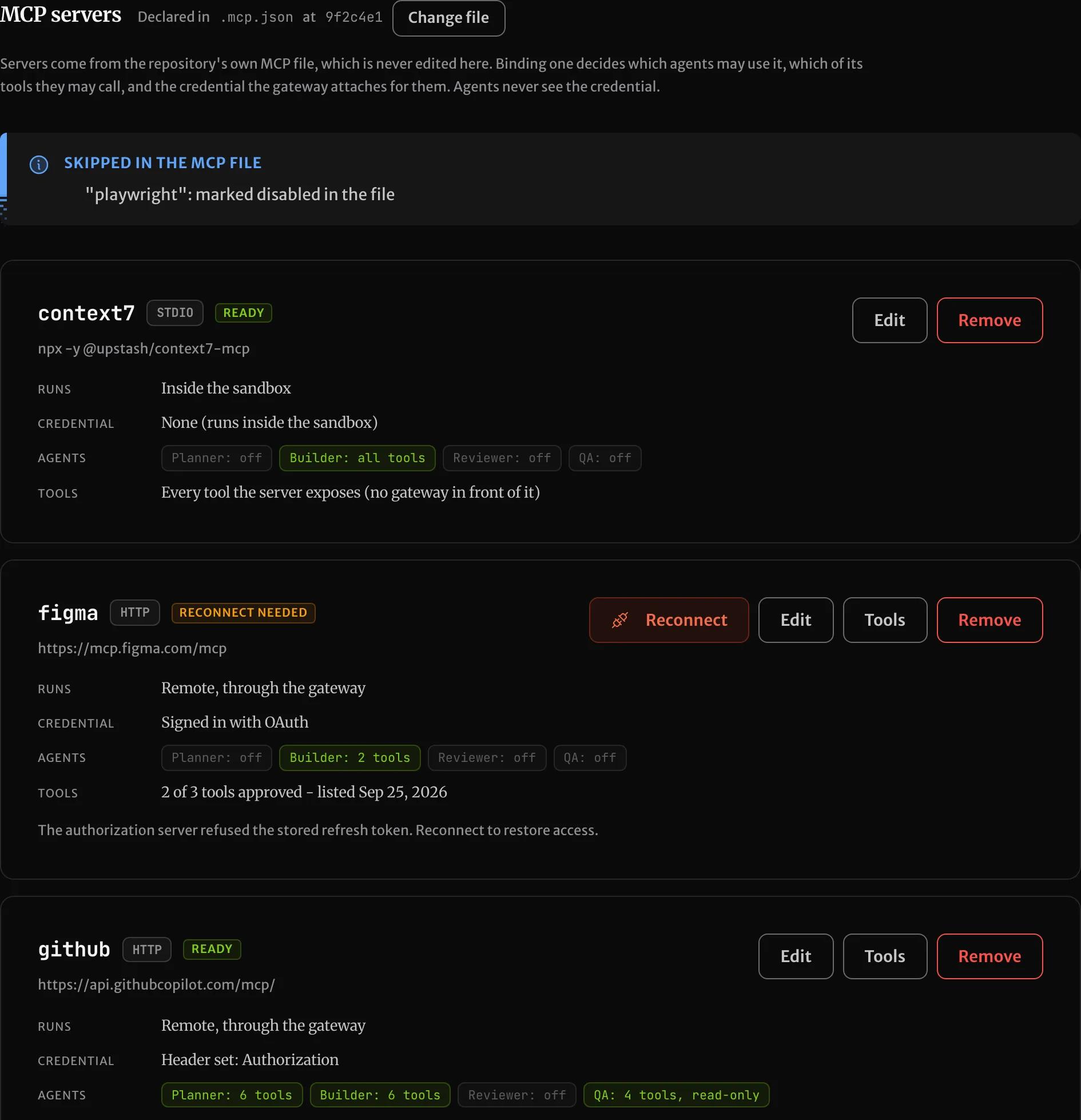
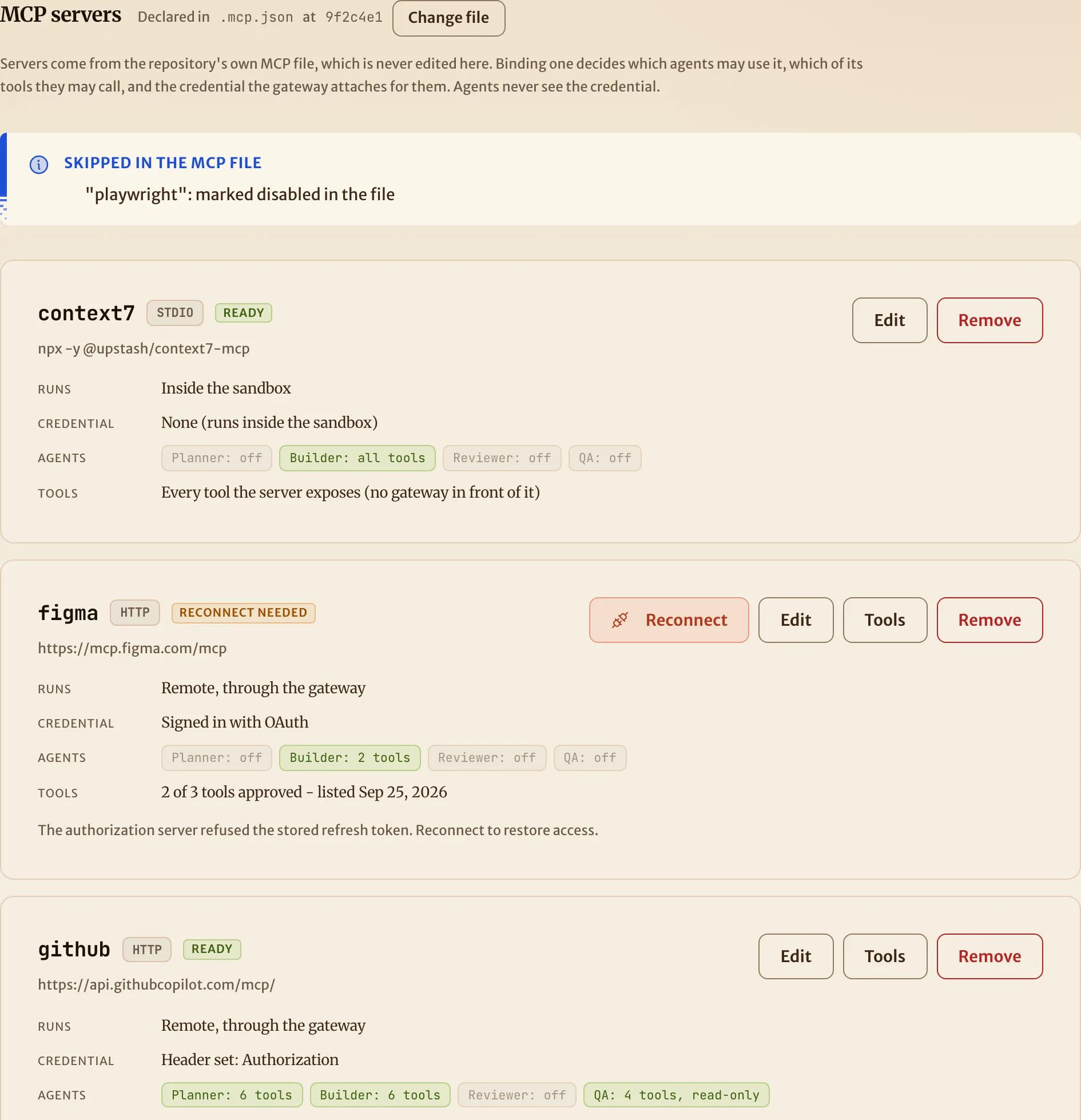
A server nobody has bound reaches no agent. The MCP servers docs cover where the file is read from and how to point SHIP at .cursor/mcp.json or .vscode/mcp.json instead.
Pick how each server runs
Each server runs one of three ways, chosen by what it is and whether it needs a secret:
| How it runs | For | Credential |
|---|---|---|
| Remote, through SHIP | A server with a URL, such as GitHub's or Linear's | A request header, or an OAuth sign-in SHIP keeps renewed |
| Isolated runtime | An npm server that reads a key from its environment | Environment variables, sent only to the hosts you allow |
| Inside the sandbox | A server that needs no secret, from npm or Python | None |
The sandbox has Node and Python 3.12 with uv, so npx and uvx servers start as the repository declares them. A server started with Docker can't run there, and a Python server can't run isolated. If either one needs a key, bind the vendor's hosted endpoint under the same name. The guides walk each case: a hosted server, a server in the sandbox and an isolated npm server.
Hold the reviewer and QA to read-only tools
The reviewer and QA never change your repository, so they receive only the approved tools a server marks read-only. For a tool the server leaves unmarked, you can confirm it only reads. A tool that writes reaches only the planner and builder:
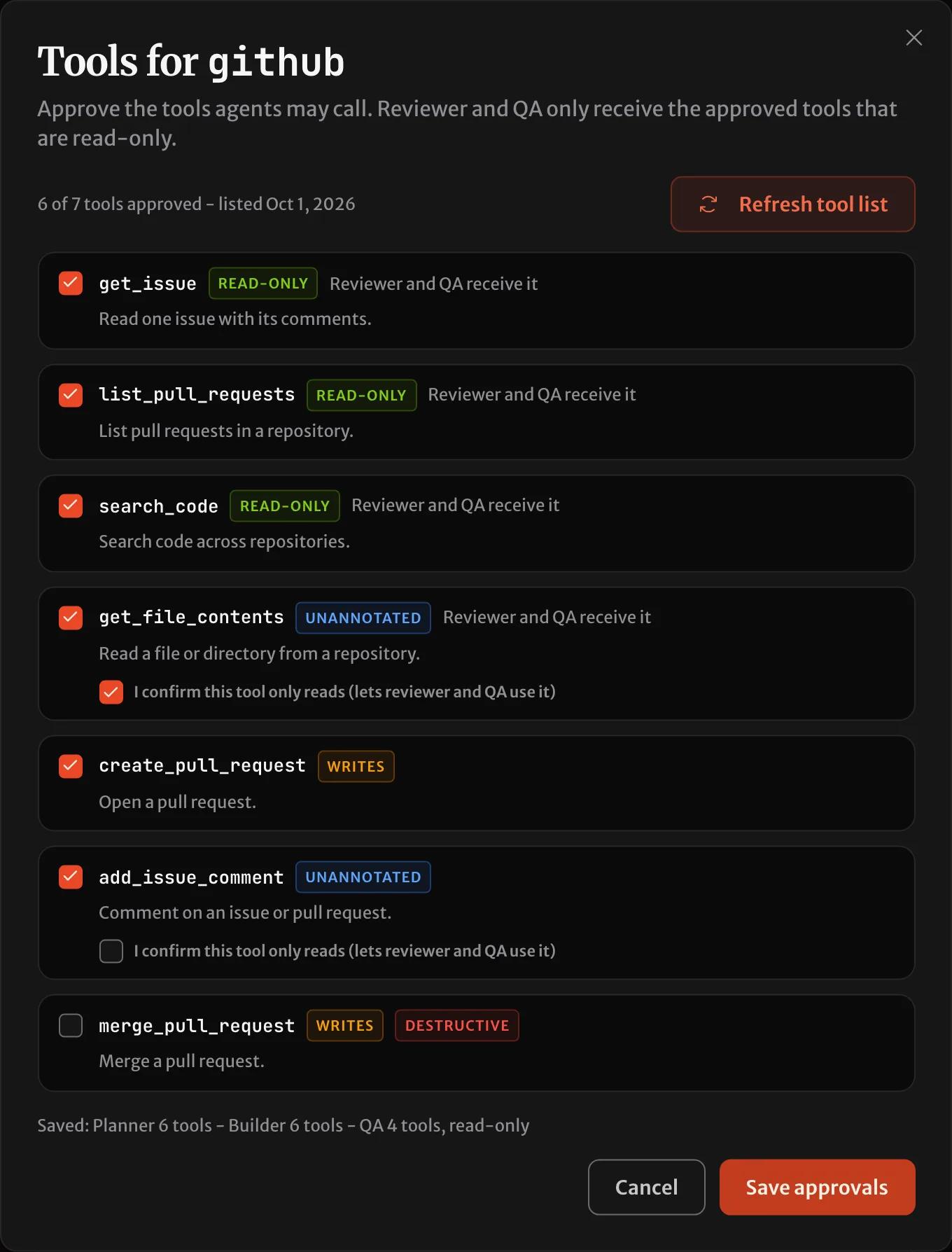
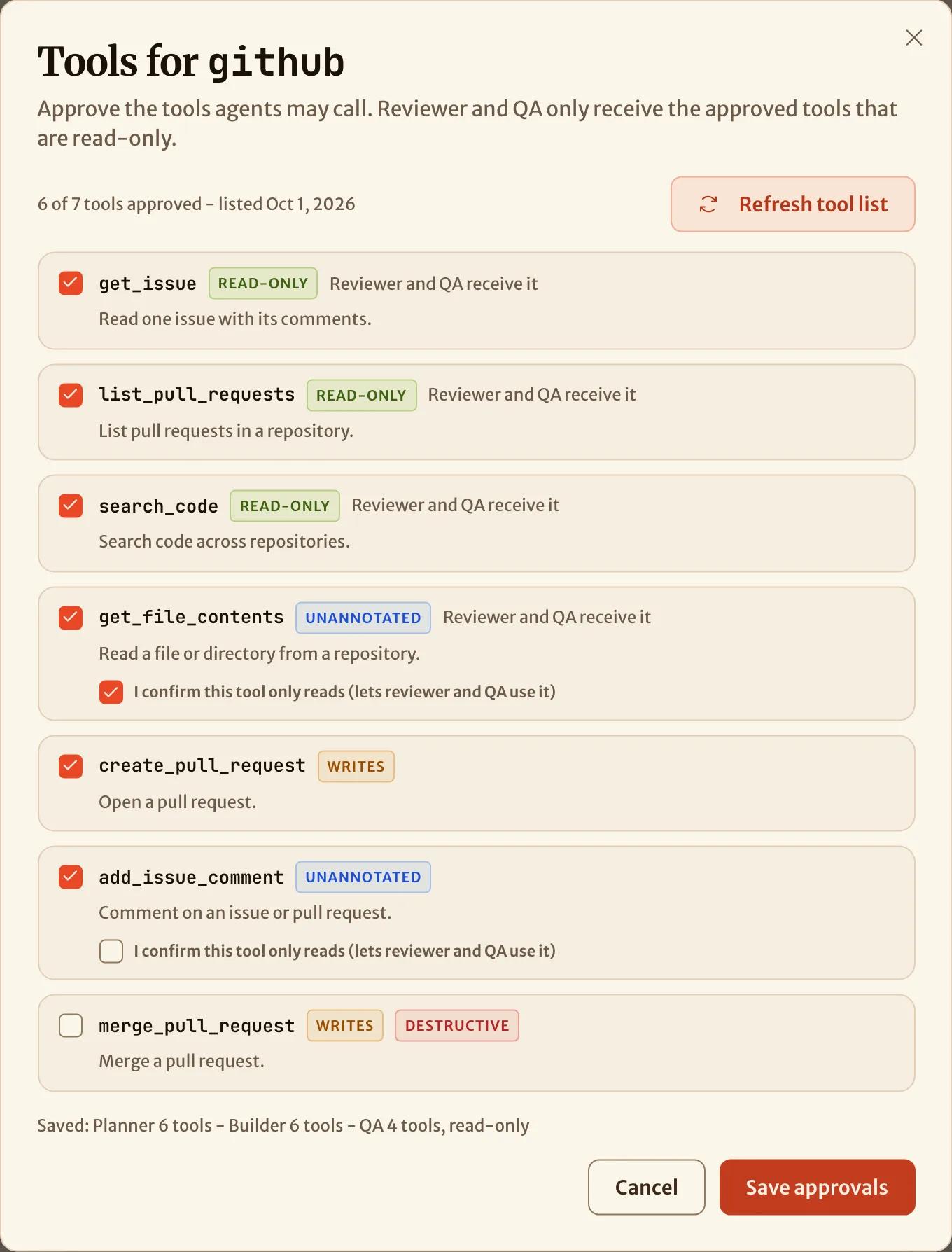
A server inside the sandbox is never given to the reviewer or QA, because SHIP is not in its path to filter its tools. To narrow further for one repository, list servers and tools per agent in ship.yml. It can only remove what a binding grants, never add to it:
agents:
  qa:
    mcp:
      - server: github
        tools: [get_issue, get_pull_request]
Drive it from the console, a terminal or an agent
Everything above is the same capability on four surfaces. The console's project page binds servers and approves tools. The ship CLI does it from a terminal, reading credentials from files so they stay out of your shell history:
ship mcp list
ship mcp bind github --roles planner,builder,qa --header-file Authorization=github-header.txt
ship mcp tools github --refresh
ship mcp connect linear
Your own coding agent can do it through the MCP server, with list_mcp_servers, bind_mcp_server and refresh_mcp_server_tools. An OAuth sign-in is the one step it hands back to you, as a link to open. Underneath all three is the API.
Verify what each agent had
A claude-code run's timeline opens with the servers the agent started with, and whether each connected, and shows each call as server - tool. A server that failed to start shows in amber instead of going missing:
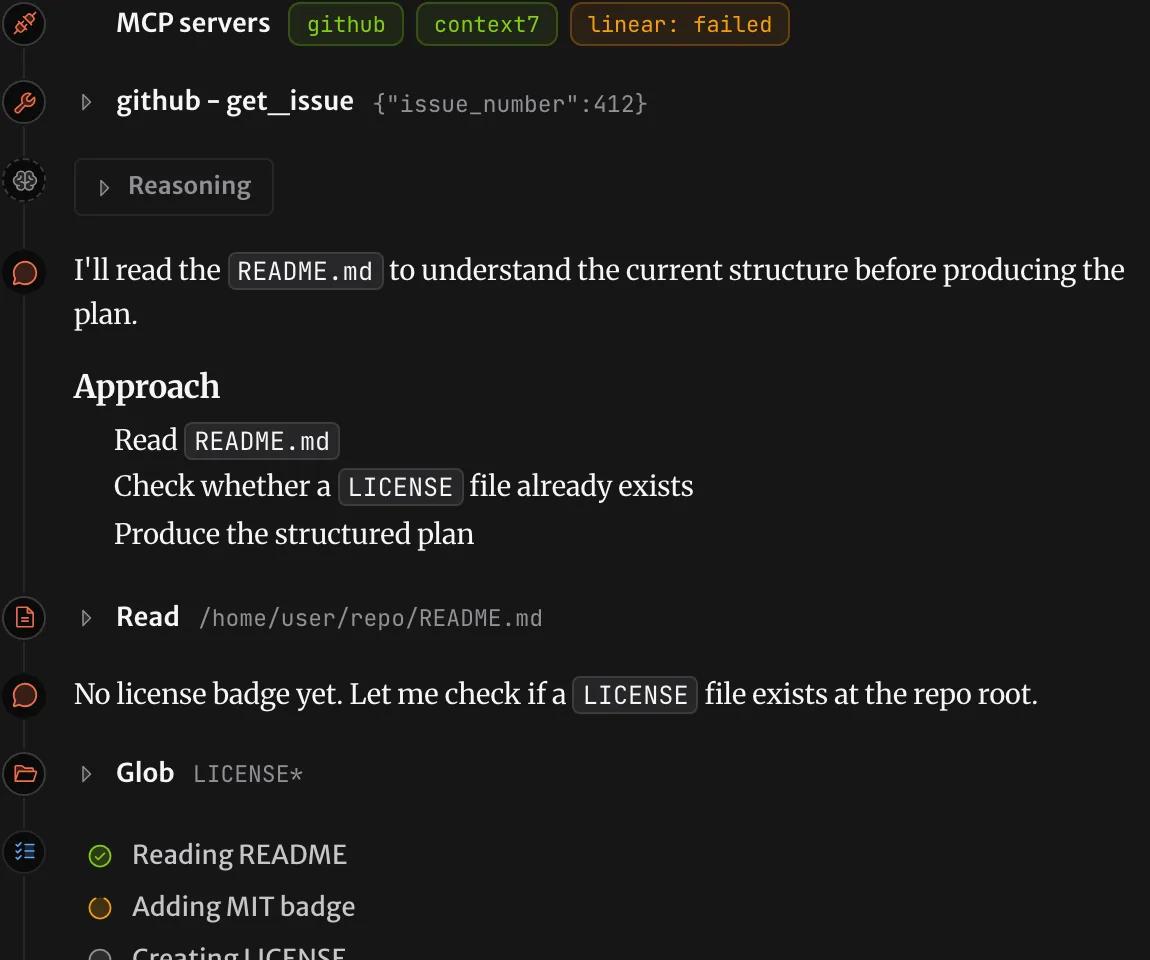
Every tool call made through SHIP is recorded on the mission, including refused ones. Sometimes a server can't be used, for example because someone revoked its sign-in. Then the mission stops before the agent starts, with a message that names the server. Vault → MCP servers lists every credential across your projects, with the names of its headers or variables and never their values.
Questions
Can coding agents in a pipeline use MCP servers?
Yes. In SHIP the planner, builder, reviewer and QA agents can each use MCP servers. You bind a server once per project. You choose the agents that get it and the tools they may call. Every mission after that gets the server.
Do I need to change my .mcp.json for SHIP?
No. SHIP reads the file your repository already has, from the default branch, and never edits it. Bindings, approved tools and credentials live on the project in SHIP, so the file needs no placeholders.
Can an agent read the MCP server's API key?
No. SHIP attaches a remote server's credential outside the sandbox. An npm server that needs a key runs in an isolated runtime, which gets only a stand-in value. Nothing inside the agent's sandbox holds the real key.
Can a pull request add an MCP server to its own agents?
No. SHIP reads the server definitions from the default branch. Also, every supported harness ignores the MCP files in the repository. So a branch cannot make its own agents start a server.
Which agent harnesses support MCP servers in SHIP?
claude-code, codex, open-code and kilo-code get the same servers, each in its own configuration format. A role on pi with MCP servers stops with a message naming the harness.
Can I use Python MCP servers started with uvx?
Yes, inside the sandbox, which has uv and Python 3.12, for servers that need no secret. A Python server that needs a key is bound to the vendor's hosted endpoint instead.