

Run a server in the sandbox
Run MCP servers that need no secret, such as docs servers started with npx or uvx, inside the agent's sandbox.
Overview
A server that needs no secret can run inside the agent's sandbox, started with the same command your repository declares. Documentation servers are the usual case: the builder looks up a library's current API instead of guessing from its training data. This guide binds two of them:
{
  "mcpServers": {
    "context7": { "command": "npx", "args": ["-y", "@upstash/context7-mcp"] },
    "aws-agentcore-docs": {
      "command": "uvx",
      "args": ["awslabs.amazon-bedrock-agentcore-mcp-server@latest"]
    }
  }
}
The sandbox has Node, with npx and bunx, and Python 3.12 with uv, so uvx servers start without setup. A server that needs a different Python version gets it from uv on its first start.
Bind it for the planner and builder
Select Bind on the server's card, choose Inside the sandbox, and tick the planner, the builder or both. There is no credential to add.
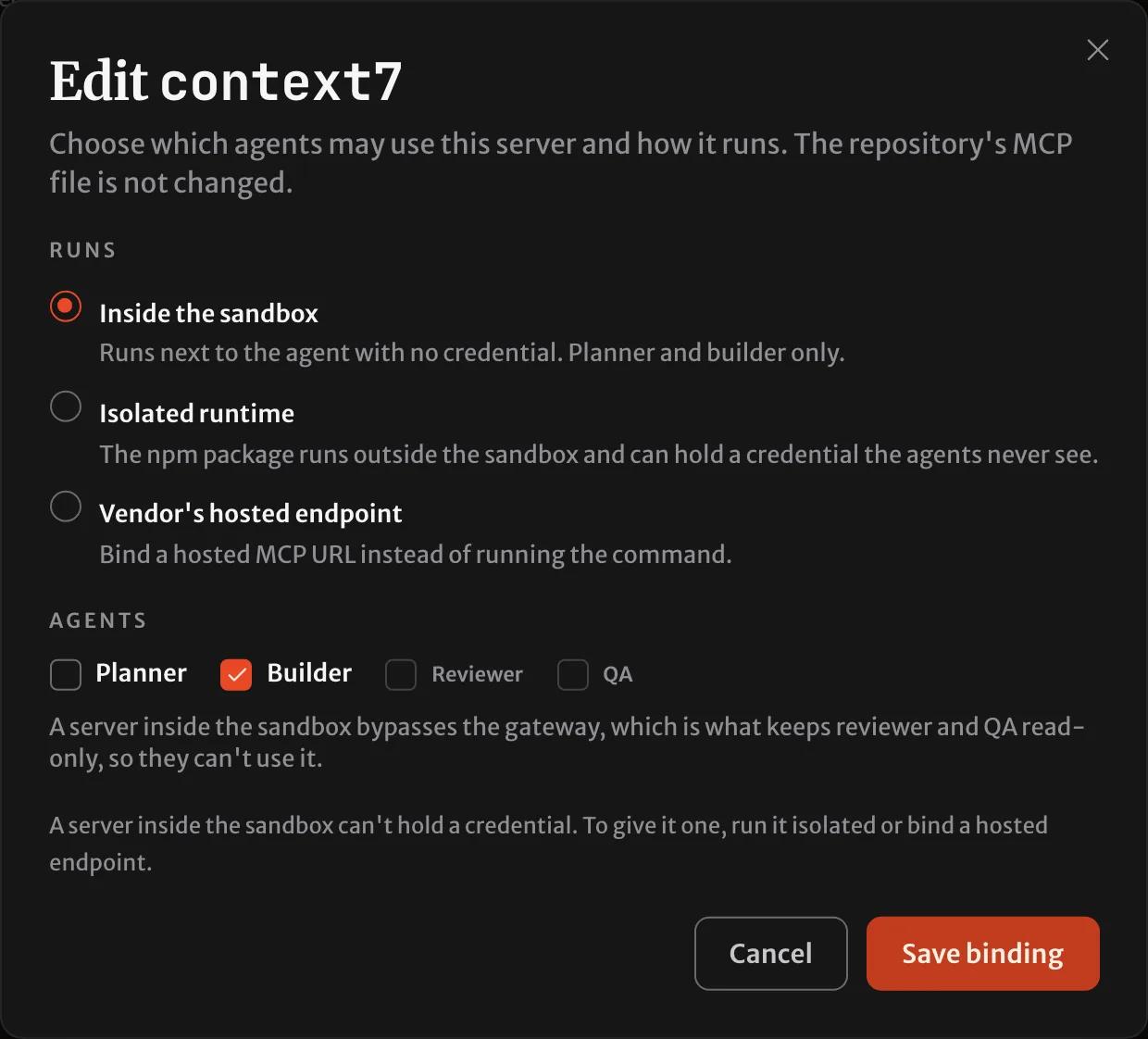
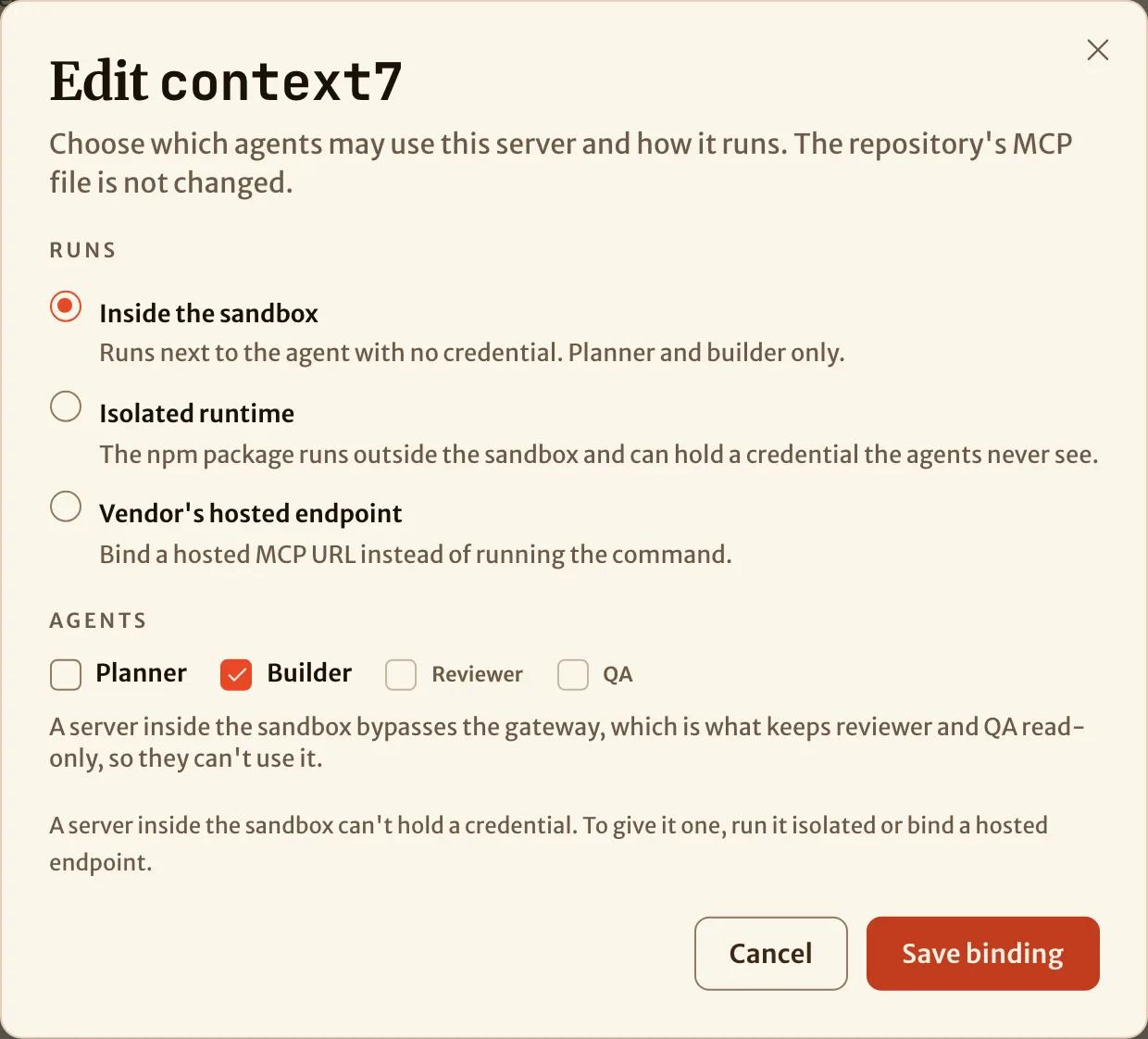
A server inside the sandbox gives the agents every tool it exposes, because SHIP is not between them to filter. That is also why the reviewer and QA can't use one. Asking for them is refused with the reason:
$ ship mcp bind context7 --roles planner,builder,reviewer
Could not bind context7: reviewer can't use a server that runs inside the sandbox: only the gateway can hold them to read-only tools. Remove it from the roles, or bind the server to run isolated or remote.
To give the reviewer a documentation server, bind the vendor's hosted endpoint instead. Context7 hosts one at https://mcp.context7.com/mcp. Then SHIP can hold the reviewer to read-only tools.
Add a Python server the same way
A uvx server binds exactly like an npm one:
ship mcp bind aws-agentcore-docs --roles plannerOn its first start in a sandbox, uvx downloads the package from PyPI. The AWS Labs servers use this method. The AgentCore documentation server above answered a planner's search on its first run in SHIP's sandbox. The repository needed no setup.
A Python server that needs a secret can't run inside the sandbox, because nothing there can hold a secret. It can't run isolated either, because only npm packages can. Bind the vendor's hosted endpoint for it, as in Connect a hosted server.
Check that the agent had it
A claude-code run's timeline opens with the MCP servers the agent started with, and whether each one connected. Tool calls read as server - tool:
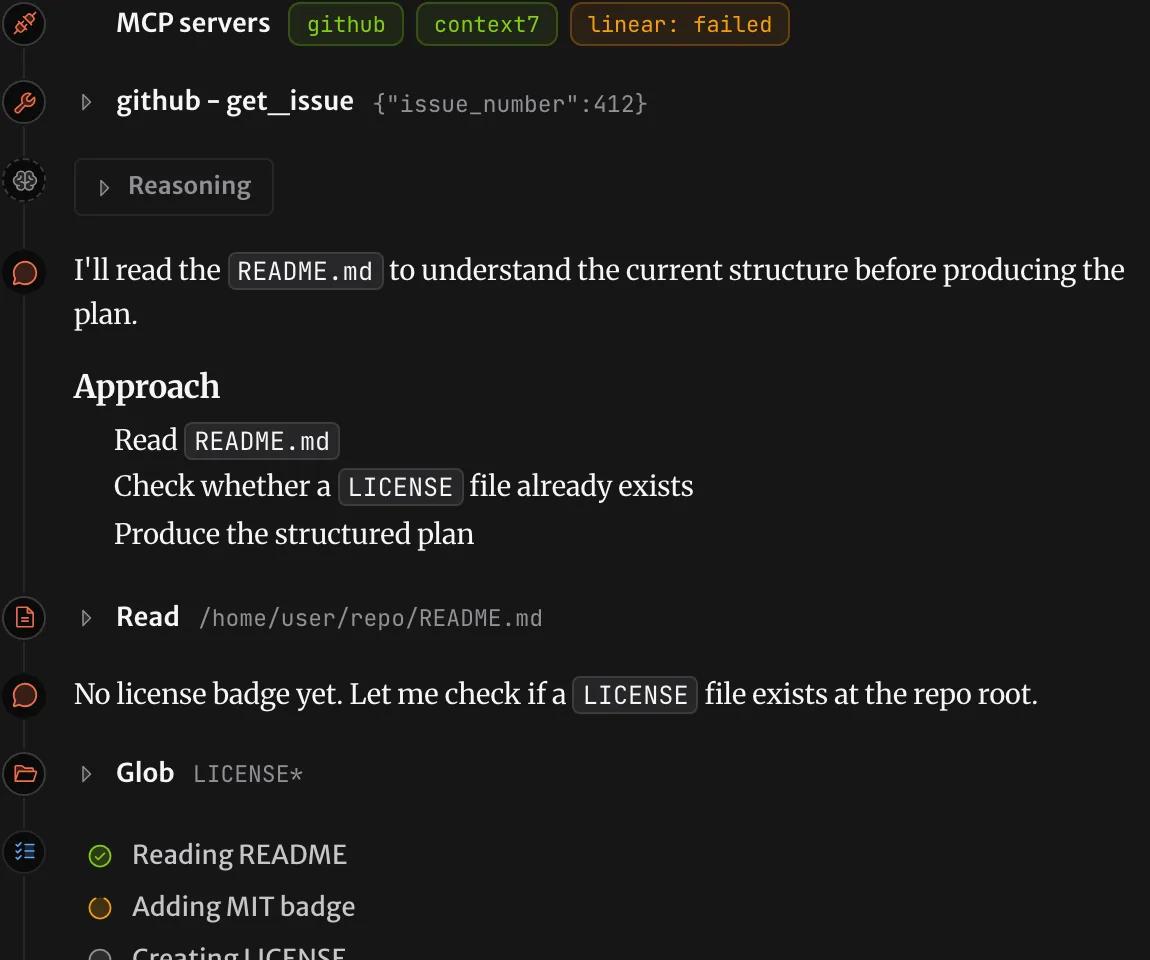
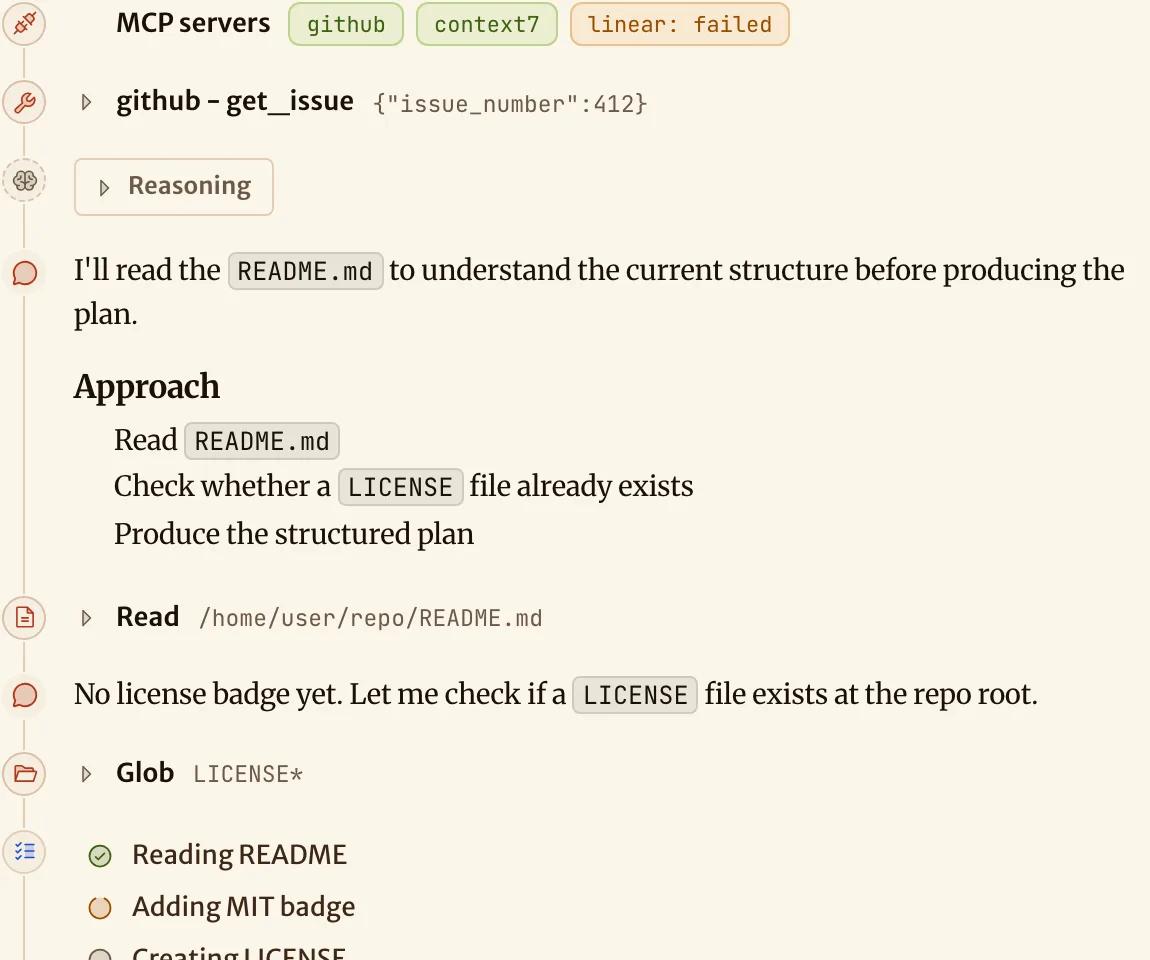
If a server failed to start, the agent's session log usually gives the cause. For example, the package doesn't exist, the image doesn't have the command, or the server needs a secret that it didn't get.
How is this page?
Connect a hosted server
Bind GitHub's MCP server with a token, Linear's with an OAuth sign-in, and a vendor's hosted endpoint for a server your repository starts with Docker.
Isolate an npm server that needs a secret
Run an npm MCP server that needs an API key outside the agent's sandbox. The server gets only a stand-in value for the key.