

Isolate an npm server that needs a secret
Run an npm MCP server that needs an API key outside the agent's sandbox. The server gets only a stand-in value for the key.
Overview
Many MCP servers are npm packages that read an API key from an environment variable. Started inside an agent's sandbox, the key would sit where the agent can read it. Bound isolated, the package runs outside the sandbox instead:
- SHIP pins the exact version and integrity of the package when you bind it, and builds it once.
- The server receives a stand-in value for each variable, never the real one.
- When the server calls a host that you allow, SHIP puts the real value in the request. It also removes the value from the response.
- SHIP blocks every other host.
This guide binds Sentry's server, declared in the repository as:
{
  "mcpServers": {
    "sentry": {
      "command": "npx",
      "args": ["-y", "@sentry/mcp-server@latest"],
      "env": { "SENTRY_ACCESS_TOKEN": "${SENTRY_ACCESS_TOKEN}", "SENTRY_HOST": "sentry.io" }
    }
  }
}
The ${SENTRY_ACCESS_TOKEN} reference is optional. When it is there, SHIP uses its name to pre-fill the form.
Bind it with its key and allowed host
Select Bind on the sentry card and choose Isolated runtime. Under the credential, choose Environment variables, enter the token's value, and list the hosts the server may send it to: sentry.io for Sentry's cloud.
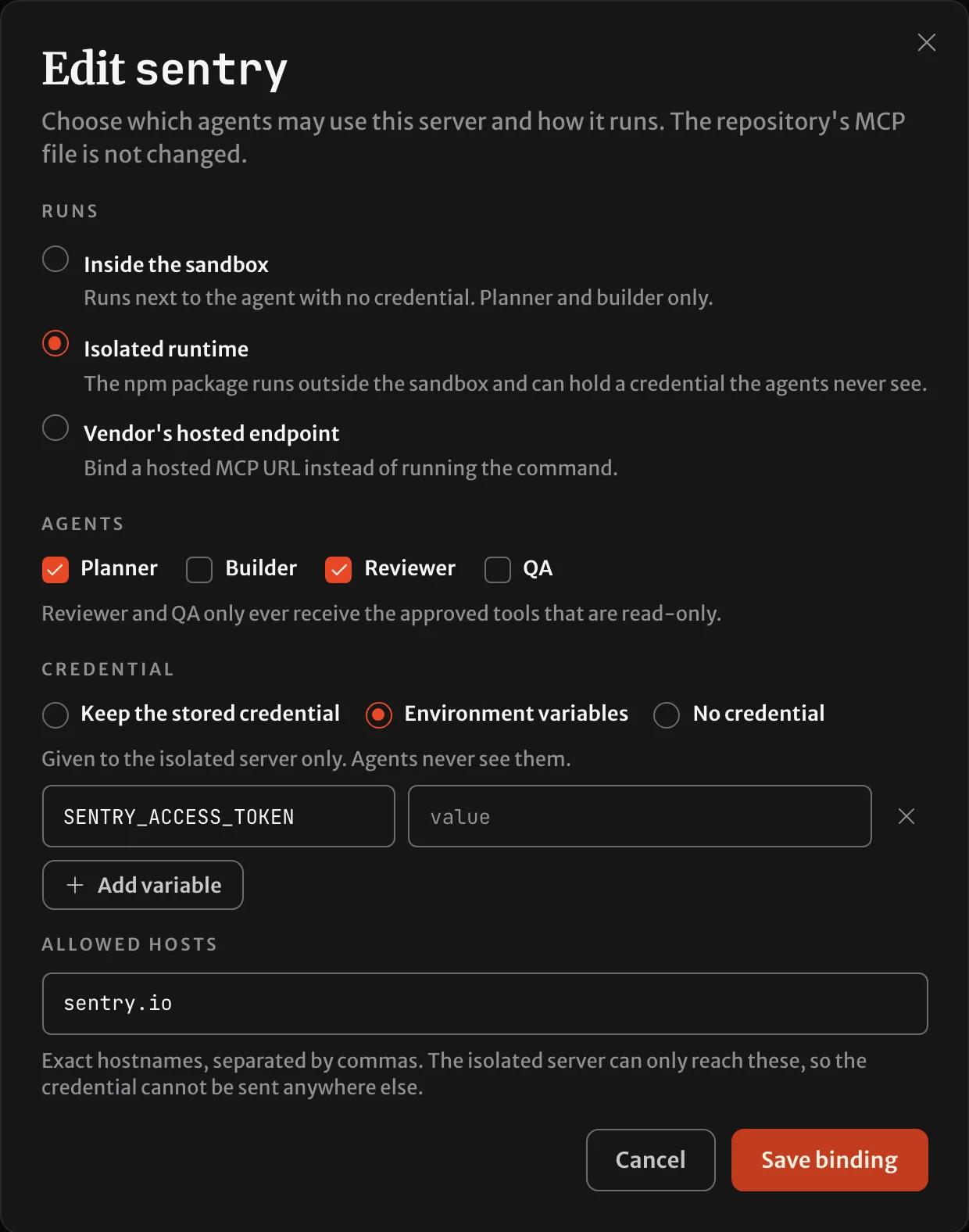
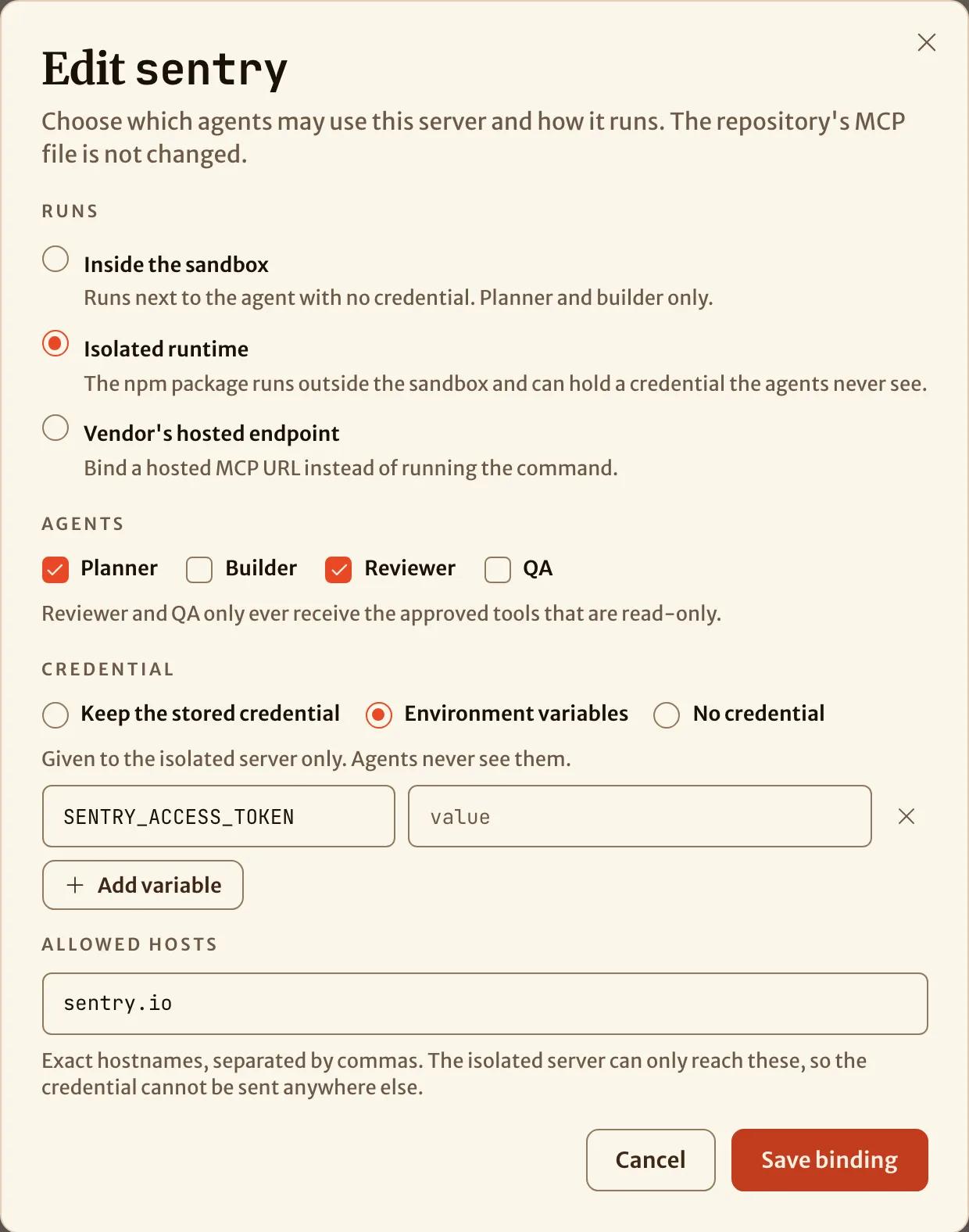
List exact hostnames. A self-hosted Sentry needs its own host here, and the SENTRY_HOST value in the file has to match it.
Wait for it to be prepared
The card reads Preparing while SHIP fetches the package, verifies its integrity and builds it. That usually takes a few minutes, and the page checks again on its own. When it is ready, approve its tools in the Tools dialog or with ship mcp tools sentry --refresh, then --approve. The reviewer gets only the tools that are read-only.
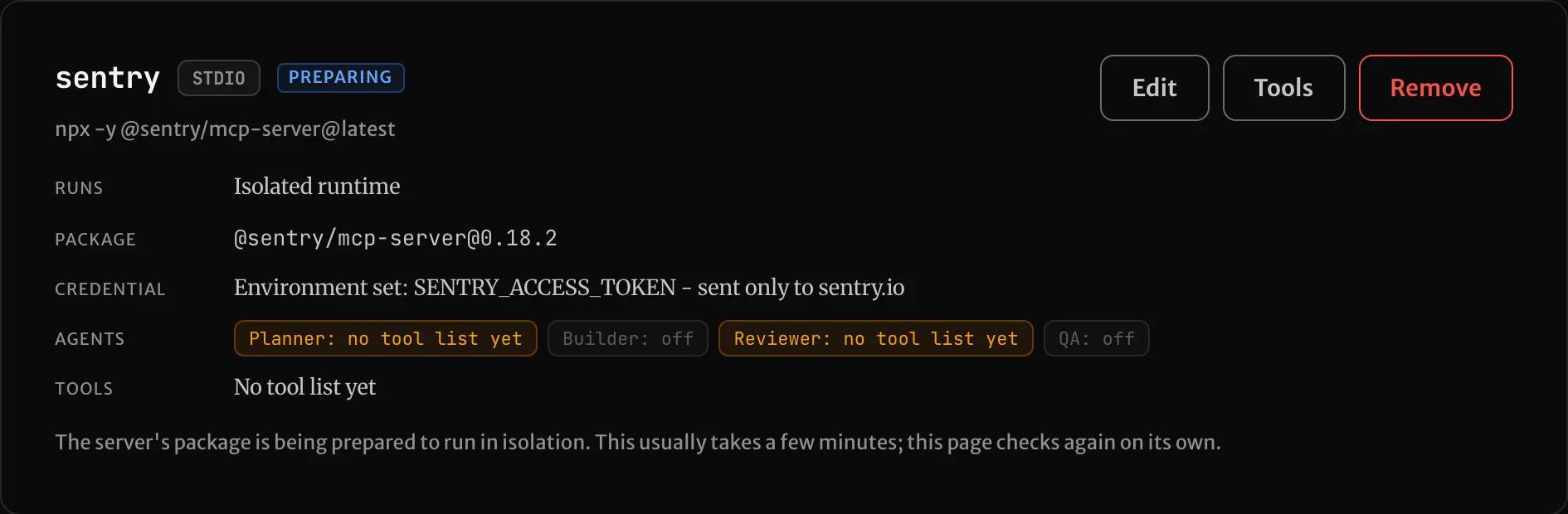
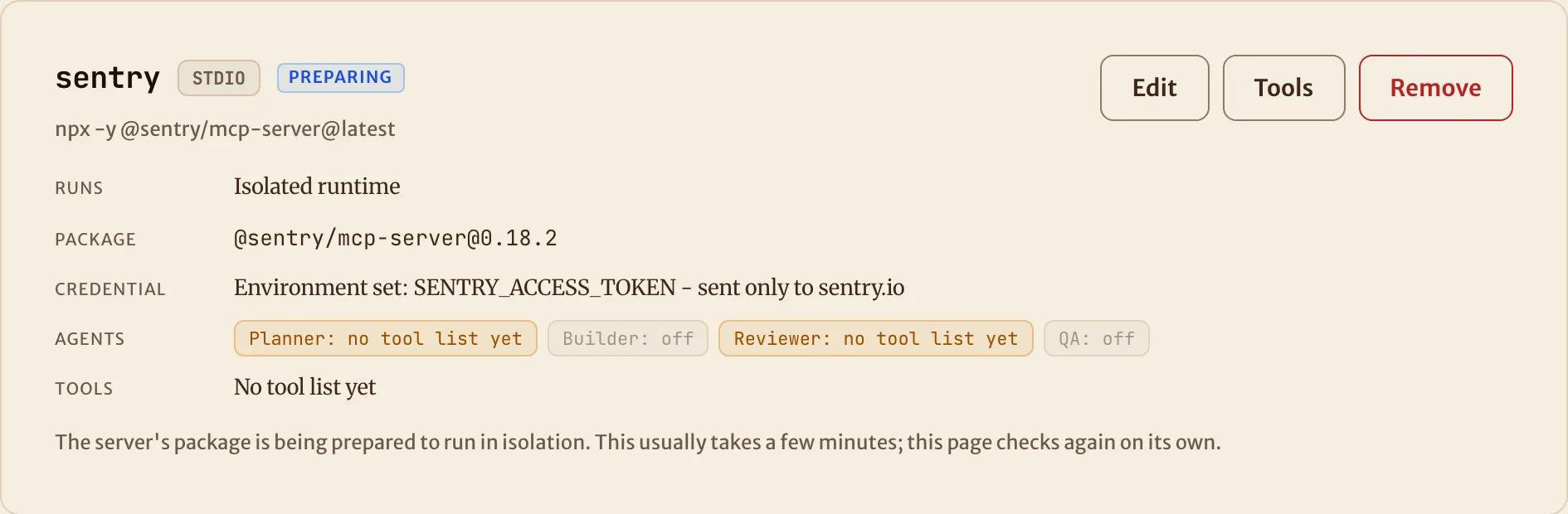
If preparing fails, the card reads Preparing failed with the reason. Saving the binding again retries it.
Know what can't run isolated
Only npm packages run in the isolated runtime. If you choose Isolated runtime for a Python server, a native binary or a script from the repository, SHIP refuses it and gives the reason. Some servers sign each request with the key and don't send the key itself, for example with AWS's SigV4. Such a server can't work isolated, because it has only the stand-in and its signatures never match. If a server needs no secret, run it in the sandbox. If it needs one, bind the vendor's hosted endpoint, as in Connect a hosted server.
How is this page?
Run a server in the sandbox
Run MCP servers that need no secret, such as docs servers started with npx or uvx, inside the agent's sandbox.
Fix a server that isn't working
What each MCP server status means, what a mission says when a server stops it, and where to see which servers an agent actually had.