

Fix a server that isn't working
What each MCP server status means, what a mission says when a server stops it, and where to see which servers an agent actually had.
Overview
An MCP server that can't be used never disappears quietly. Its card on the project's page says what is wrong, and the Vault's inventory shows the same status. A mission whose agent should get the server stops before that agent starts, with a message that names the server.
Read a server's status
| Status | What it means | What to do |
|---|---|---|
| Ready | The server is reachable with its credential. | Nothing. Agents in its enabled roles get it on their next run. |
| Needs credential | The server refused a request without a credential. | Select Connect to sign in, or edit the binding to add a header. |
| Reconnect needed | The stored sign-in expired or the provider revoked it. | Select Reconnect. |
| URL changed | The repository now points this server at a different host than the one its credential is pinned to. | Edit the binding and save it for the new URL, if you trust the new host. |
| Preparing | SHIP fetches, verifies and builds the package of an isolated server. | Wait a few minutes. The page checks again on its own. |
| Preparing failed | The package could not be prepared. The card gives the reason. | Save the binding again to retry, or bind the vendor's hosted endpoint. |
| Can't run isolated | The server is not an npm package, so it can't run in the isolated runtime. | Run it in the sandbox if it needs no secret, or bind its hosted endpoint. |
| Not declared | The binding remains, but the repository's MCP file no longer declares the server. | Remove the binding, or declare the server again. No agent receives it meanwhile. |
From a terminal, ship mcp list shows the same statuses and ends with the command to run next for each server that isn't ready:
github    ready                     planner 6 tools, builder 6 tools, qa 4 tools  https://api.githubcopilot.com/mcp/
linear    needs a credential        planner no tool list yet, builder no tool list yet  https://mcp.linear.app/mcp
figma     needs reconnecting        builder 2 tools  https://mcp.figma.com/mcp
postgres  not bound                 docker run -i --rm -e DATABASE_URL mcp/postgres
Next:
  ship mcp connect figma --project prj_123
  ship mcp connect linear --project prj_123
  ship mcp bind postgres --roles planner,builder --url <hosted https endpoint> --project prj_123
Act on a stopped mission's message
Before an agent starts, SHIP checks every server that agent should get. If one can't be used, the mission stops at that agent with a message in its activity, such as:
MCP servers for the planner agent cannot be mounted: MCP server 'linear' needs reconnecting; fix its binding on the project's page in SHIPFix the binding, then restart the mission. The fix applies to the next agent. Nothing else in the mission changes. Two other messages name a configuration to change rather than a binding:
- A harness without MCP support.
The pi harness cannot use MCP servers.Remove the role from those servers' bindings, or run the role on a harness from the supported list. - A server that ship.yml asks for, but the project doesn't grant. For example:
MCP server 'sentry' is requested for reviewer but has no binding in this project. The ship.yml file and the per-issue override can only narrow what the bindings allow. So a server that they name for a role must also have a binding for that role.
Fix an MCP file SHIP can't read
If the repository's MCP file isn't valid JSON, the project's page shows where it fails. Every binding reads MCP file invalid until you fix the file. Agents in roles with a bound server stop before they start, because SHIP can't check their servers against the file.
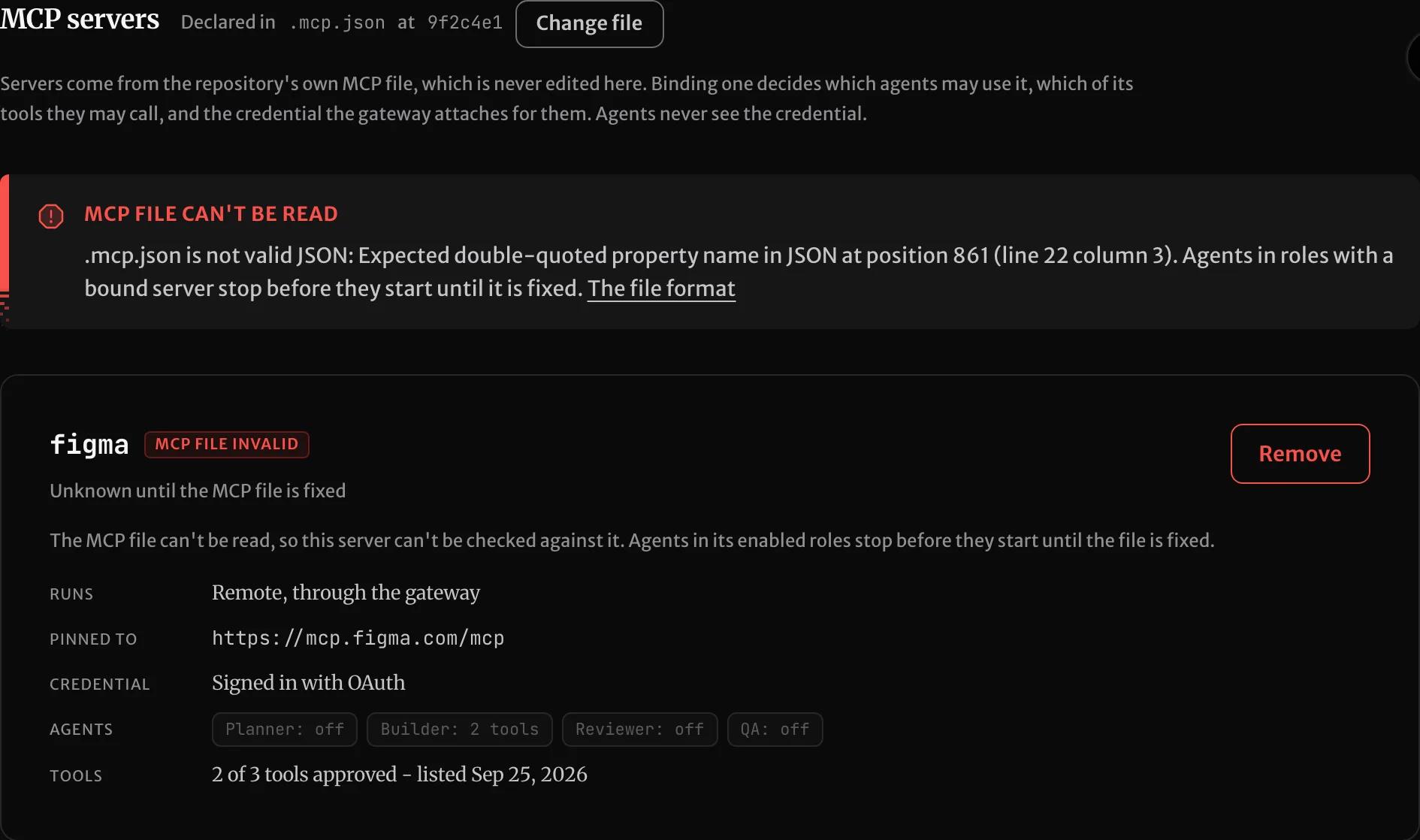
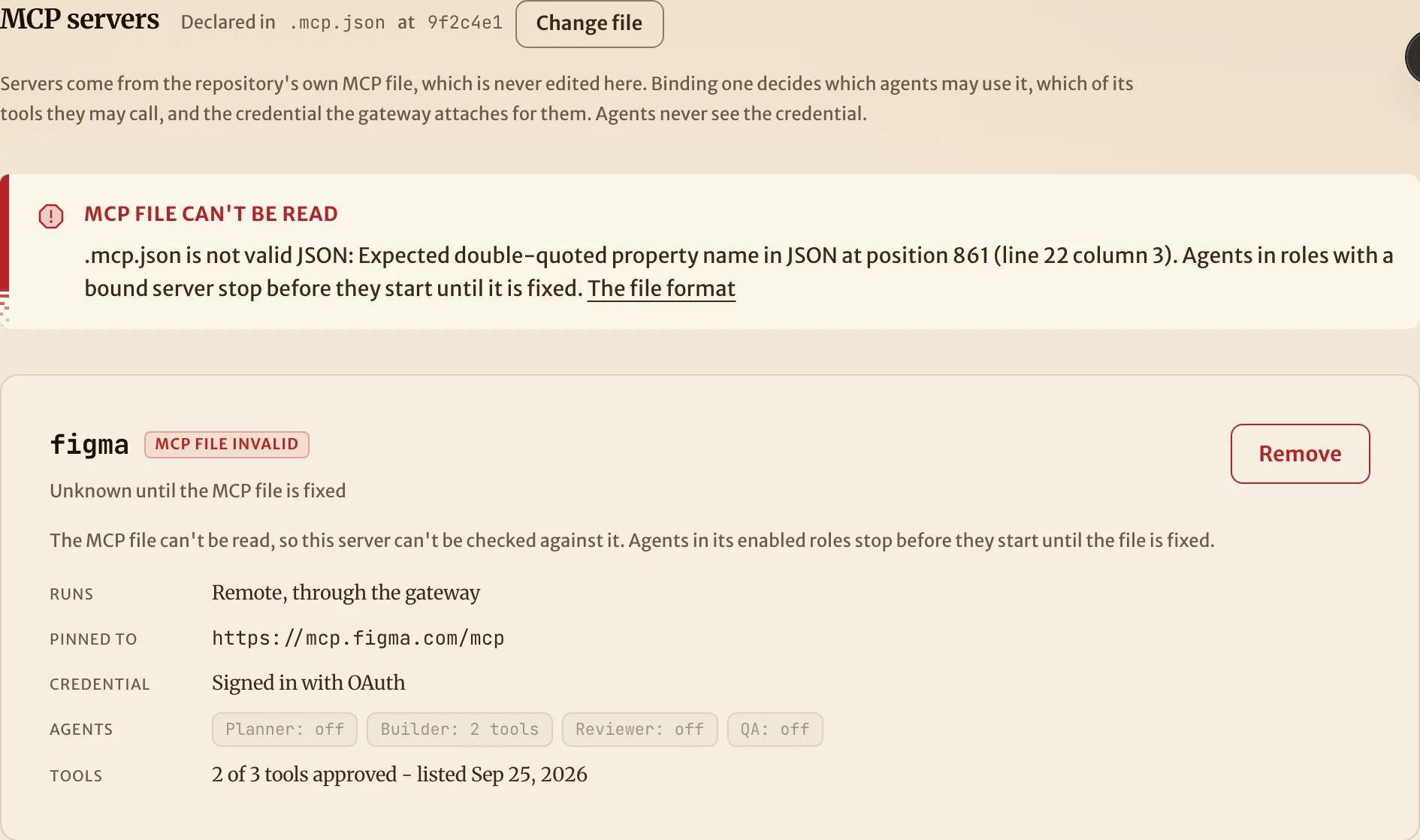
Fix the file on your default branch. SHIP reads it again at the start of the next mission.
See which servers an agent had
Each attempt's record lists the servers its agent was given, and every tool call made through SHIP is recorded on the mission, including refused ones. A claude-code run's timeline also starts with the servers that the agent started with, and whether each one connected. So the run shows a server that failed to start inside the sandbox:
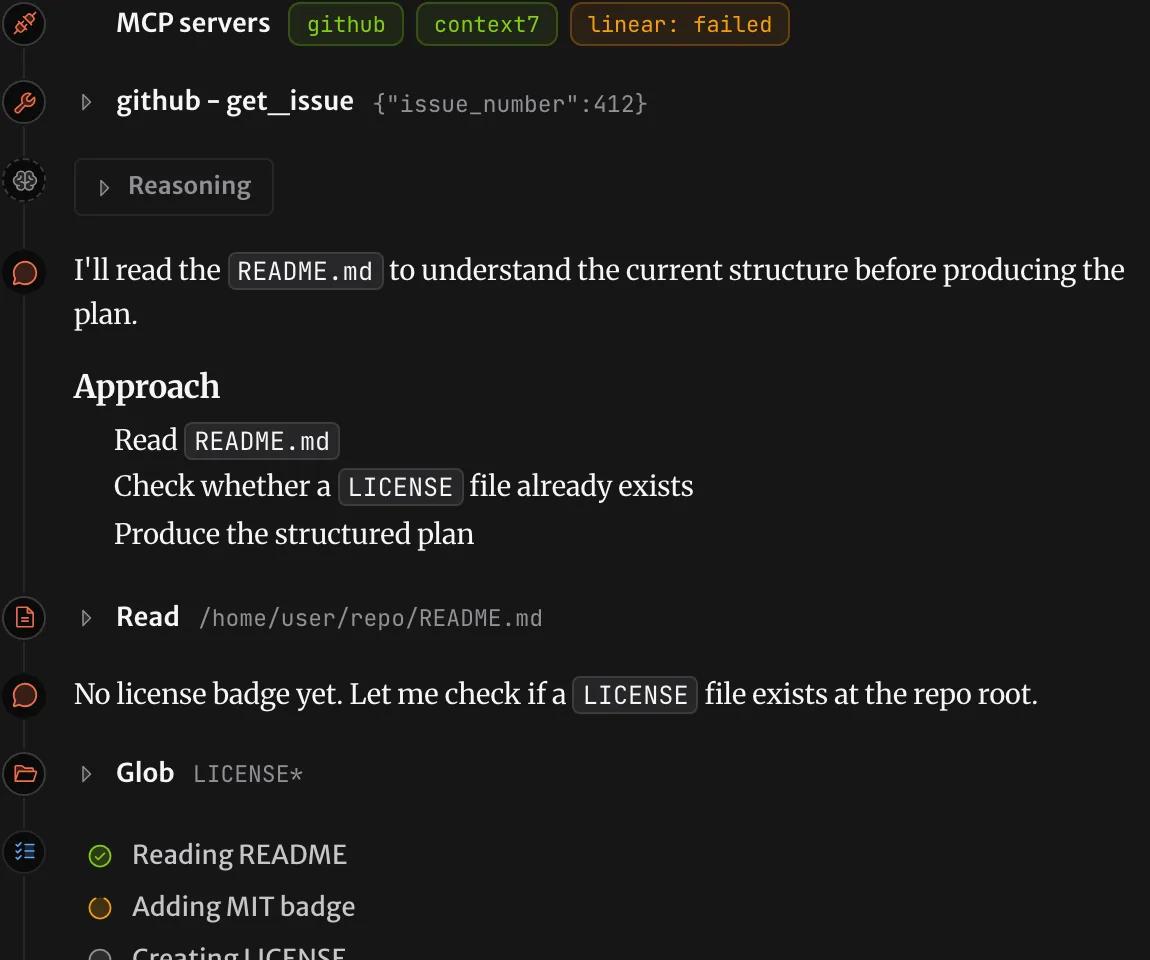
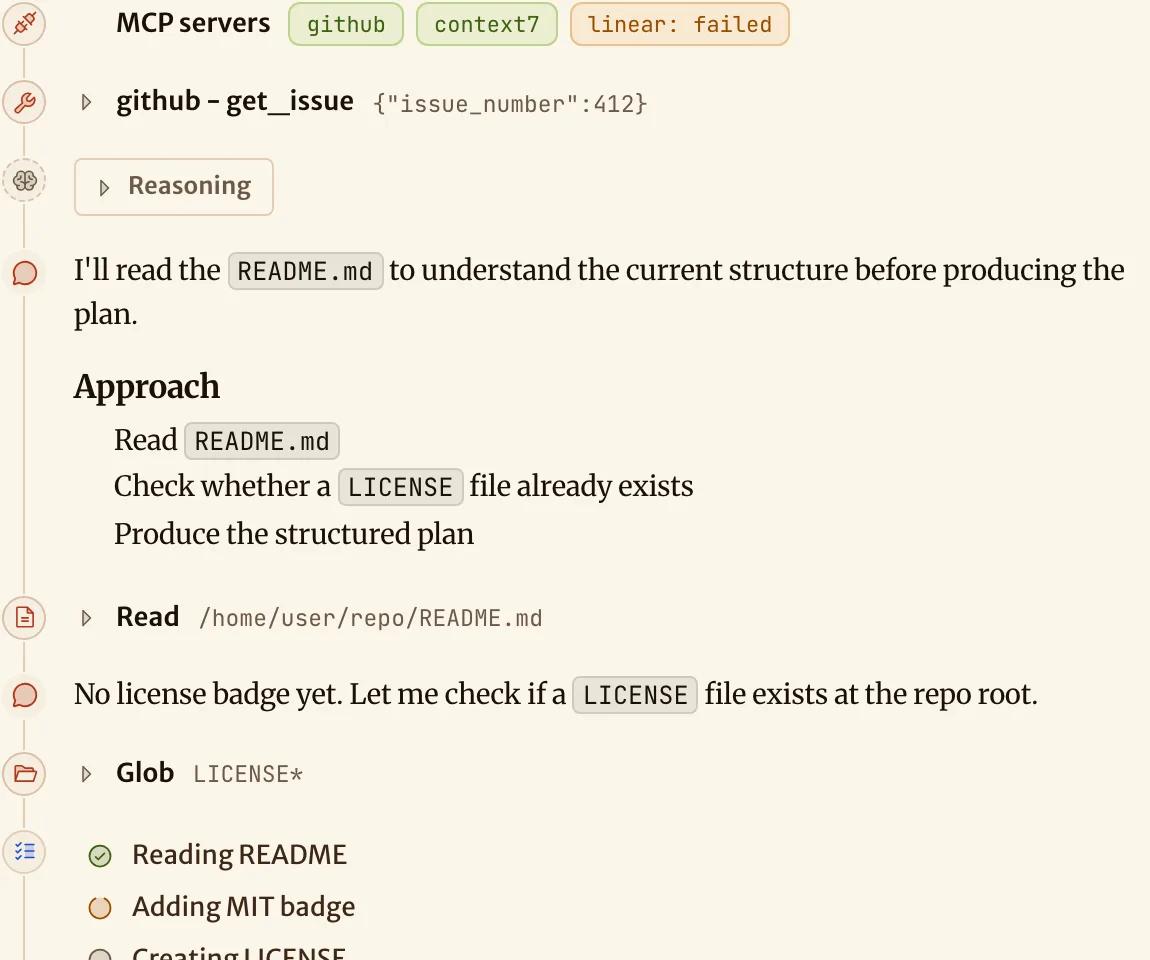
If a server failed to start in the sandbox, the agent's session log usually shows the error of the server. For example, the package doesn't exist, or the server needs a secret that it didn't get.
How is this page?